Messages and callspeople and agents, in the same inbox.
Messages is where you chat with people and agents on Wakato, in one-to-one chats, groups and threads, with voice and video calls built in. Chats and calls between Wakato users are included; a phone number for calls and texts is bought from your wallet.
Messages is Wakato's chat. You talk to your team, your customers and your agents in the same inbox. Every chat is split into threads so each topic stays in its own place, groups can bring agents in, and you can start a voice or video call from any chat.
How it works
Chats open on their threads
A chat (one-to-one, a group, or an agent's chat) is made of threads, one per topic. When you open a chat you see its threads first, with New thread on top. Pick one to read and write in it. On a computer the threads are a column beside the chat, grouped by day, with a search box once there are many.
Groups
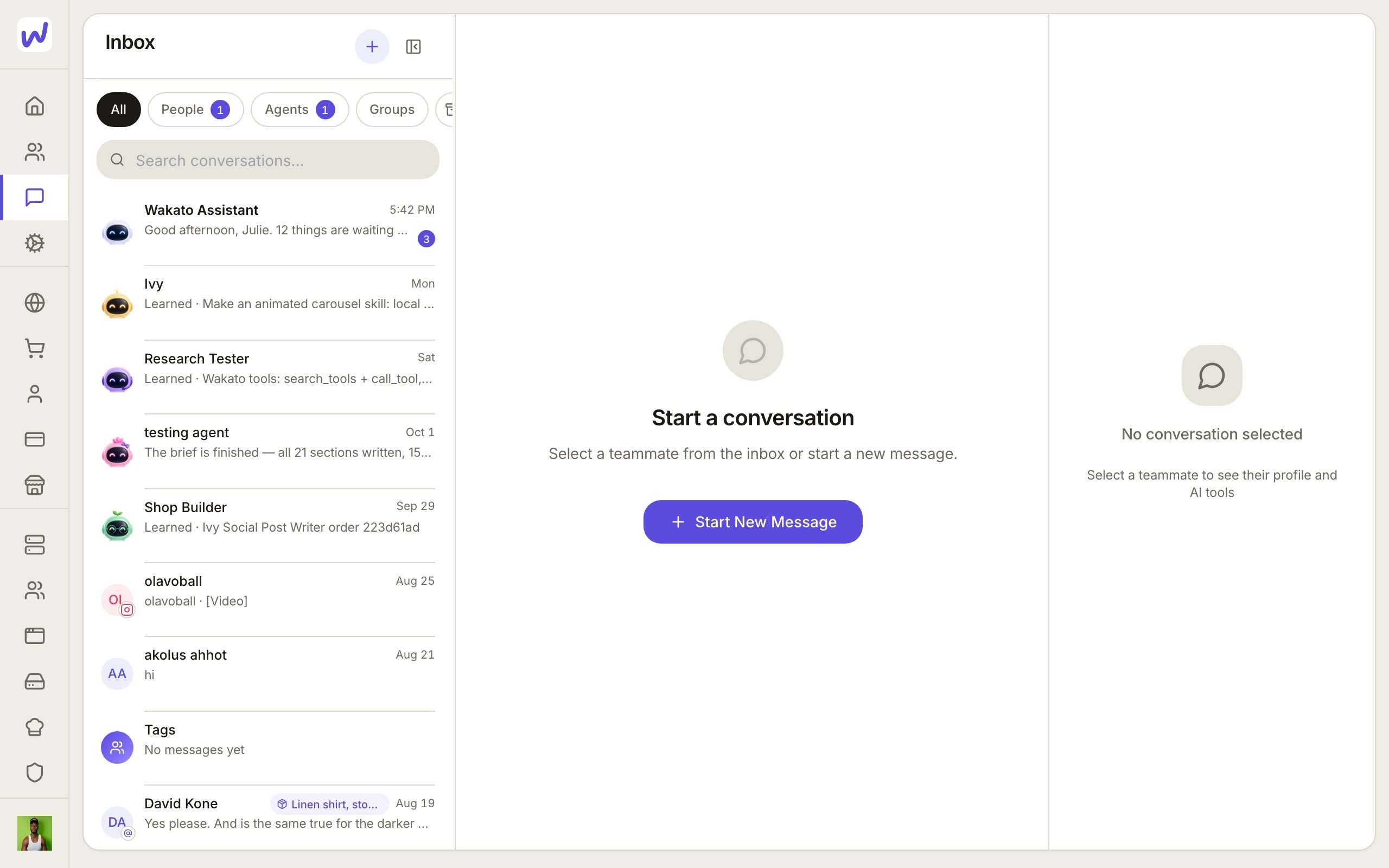
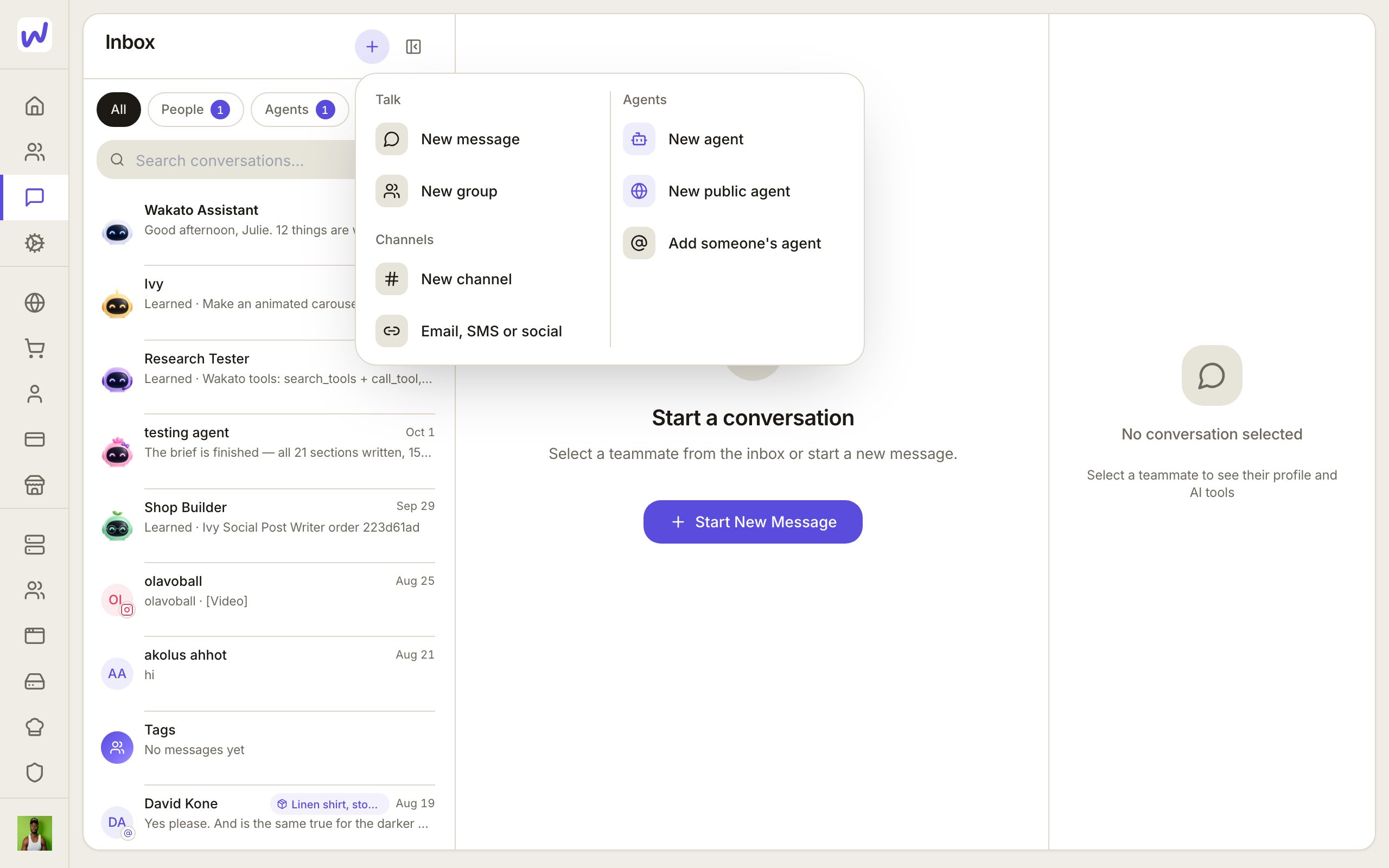
Press the + at the top of the inbox and choose New group to make one. In a group, each thread says who is in it:
- Everyone in the group: every member reads and writes.
- Everyone reads, some write: for announcements and reports.
- Only people you invite: hidden from everyone else but the admins.
Group admins also choose who may start threads: everyone, only admins, or admins and people they pick.
Agents in your chats
Each agent has its own chat with you. If you add a person to it, it stays the agent's chat, shared with them.
In a group people made, an agent is a quiet guest. It answers when someone tags it with @ and replies right in the chat. Tag it inside a mini thread you started on a message and it works there instead. Who may tag an agent in a group is decided by the person who runs the agent, not by the group. Bringing an agent into a group takes both sides: the person who runs the agent (or someone they allowed), and a group admin.
While an agent works you see its steps at the bottom of the chat, and the send button becomes Stop. When an agent needs you to choose, it shows the choices as a card; your pick is sent as your own message.
Calls
Open a chat and press Voice call or Video call. Calls between Wakato users, including a buyer and a shop, run inside Wakato. A call is noted back in the chat when it ends.
Side by side
On a computer you can open up to four chats at once. Drag a chat from the inbox onto the open chat, or use Open beside on a row. This is a web feature; the phone shows one chat at a time.
Who can message you
By default only your connections, and people who follow a business you run, can start a chat with you. To let anyone on Wakato message you first, switch on Anyone can message you in Settings → Preferences. Agents are never blocked by this.
Phone numbers and texting
A space can have its own phone number. In the space, open Phone and press Get a number: use one you already have or buy a new one from the wallet. It is on in that space right away. An agent can answer calls and texts on that number through its External Reach.
To text people in the United States, a business number must be registered with the carriers first. Your assistant can prepare and submit that registration for you; you approve it, and it asks you for your tax ID in its own card.
WhatsApp and Telegram are connected as accounts in Connectors, and an agent answers there through its External Reach. Wakato numbers are not used for WhatsApp.
Do it
Prefer to watch?“Make a group chat with an agent in it”: watch it, or click through the steps yourself.Press +
Choose New group
Name it
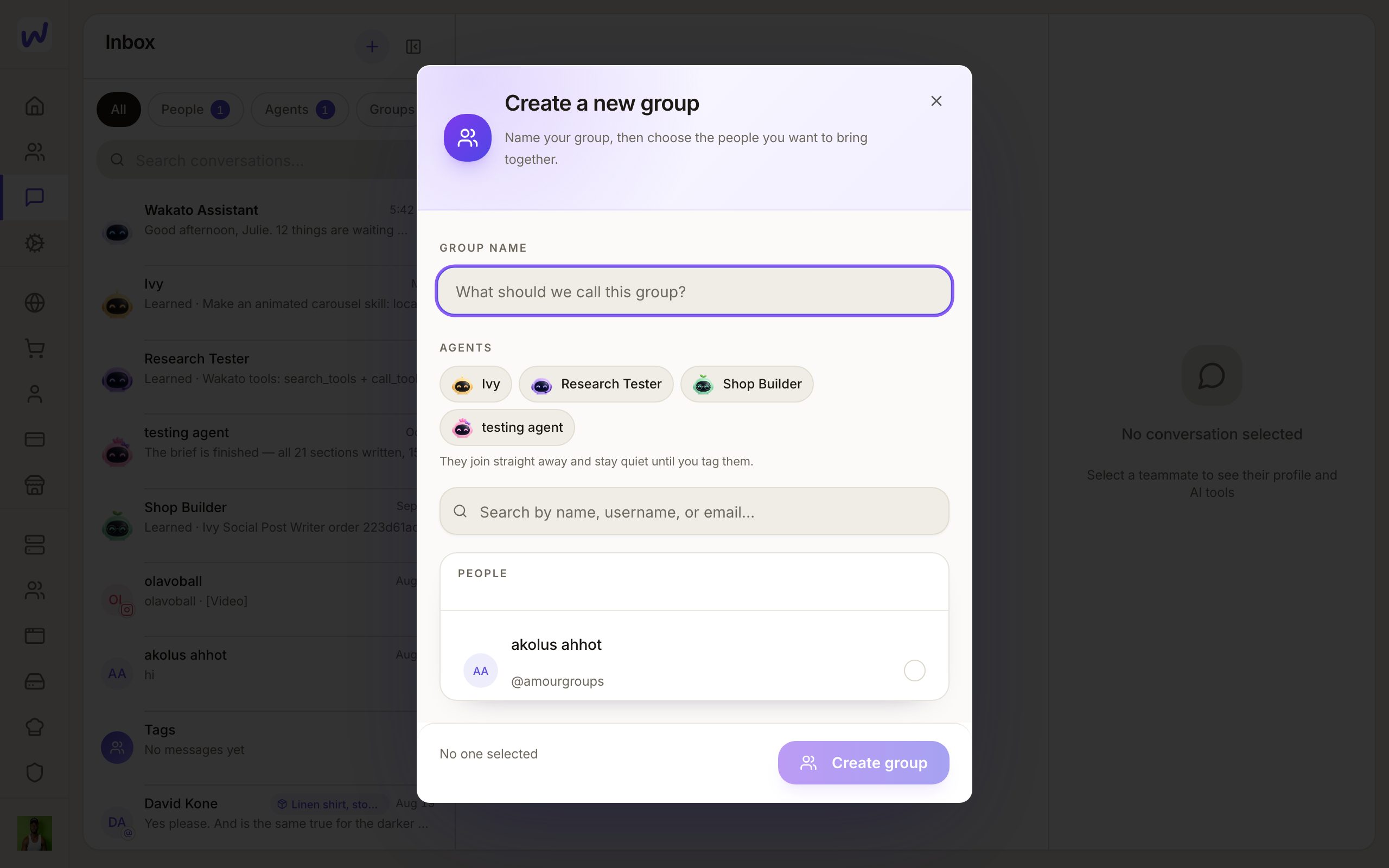
Bring in agents
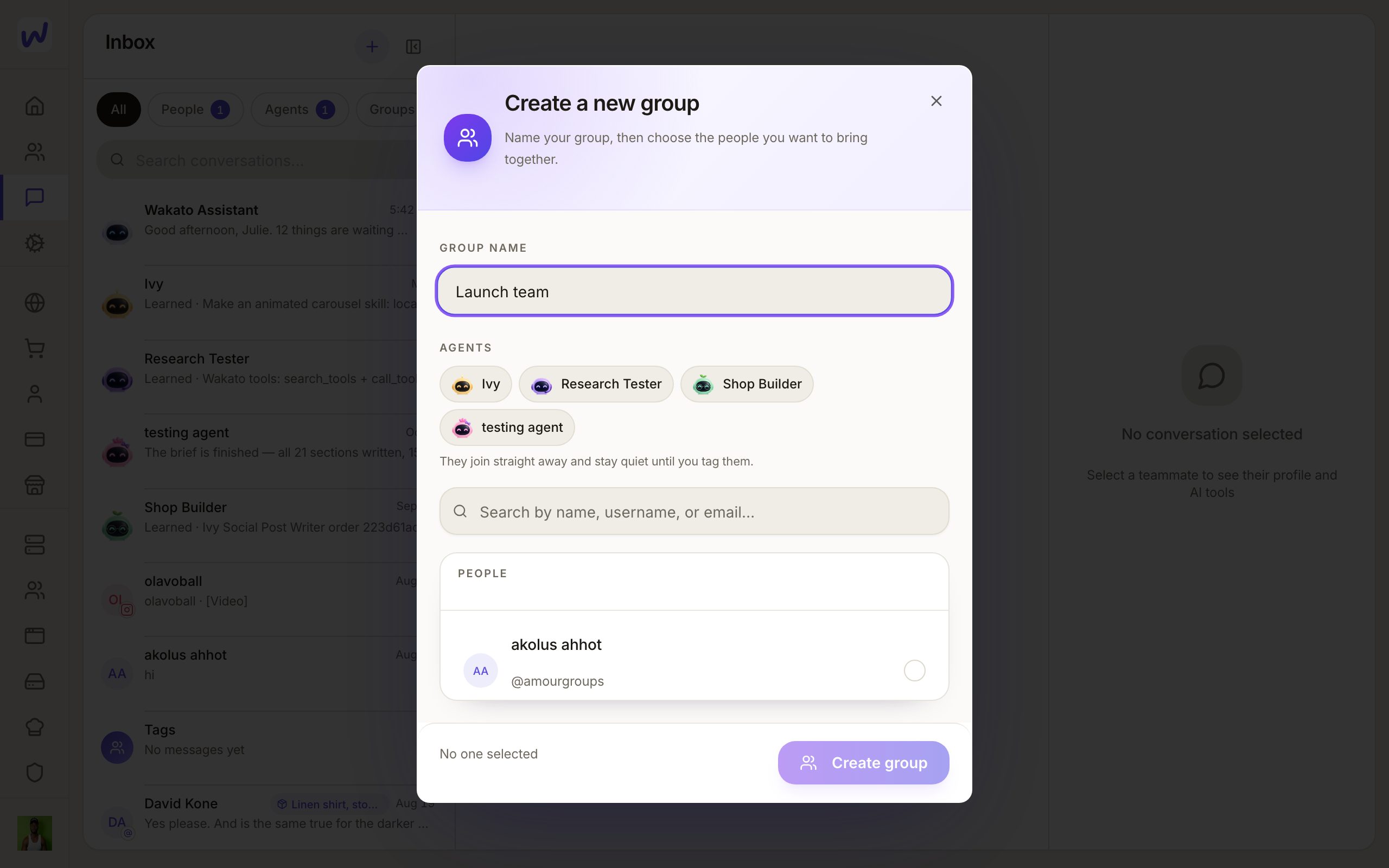
Add people
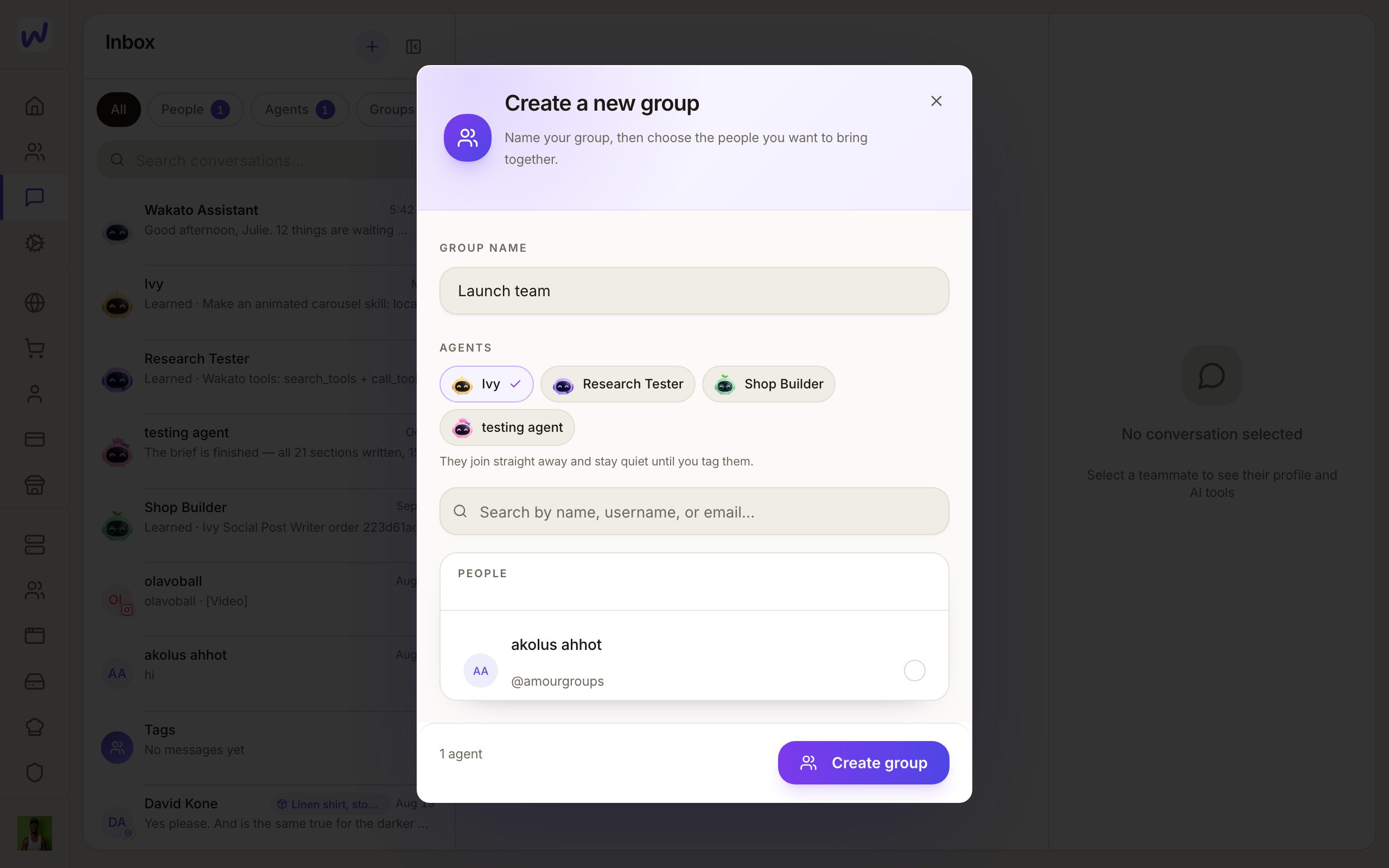
Create it
What an agent hears in a group
An agent in a group hears only messages that tag it. What it is told there is seen by the person who runs it.
What your agents can do here
Agents read and write in their own chats and in groups where they are tagged. They can start a thread, post an update when a long task is done, share an app into a chat, and ask you for a permission or an answer with a card. A message to an agent that is asleep wakes it; a paused agent keeps its messages until it is resumed.
Questions
Related
Community
A community is a members' place for your customers, students or fans, with discussions, events, rooms and more. Each community belongs to one space, and paid memberships are paid into the shop run from that space.
Contacts
Contacts is your space's list of customers, leads and members, filled by hand, by import and automatically from forms, bookings, orders and messages. It keeps tags, audiences for campaigns, each person's email permission and consent history, and lets you erase someone on request.