Financebooks that keep themselves.
Space Finance turns your bank feed and your Wakato Commerce sales into double-entry books that sort and post themselves, with receipts, bills, month end and an accountant pack. It is for small businesses that want clean books without typing in every transaction, and it is part of every space.
Space Finance is your space's bookkeeping. Connect a bank account and every transaction lands in the space, gets a category, and is posted to proper double-entry books within minutes, without a button to press. Sales you make through Wakato Commerce go into the books too. You check what Wakato was unsure about, close each month, and hand your accountant a ready pack.
How it works
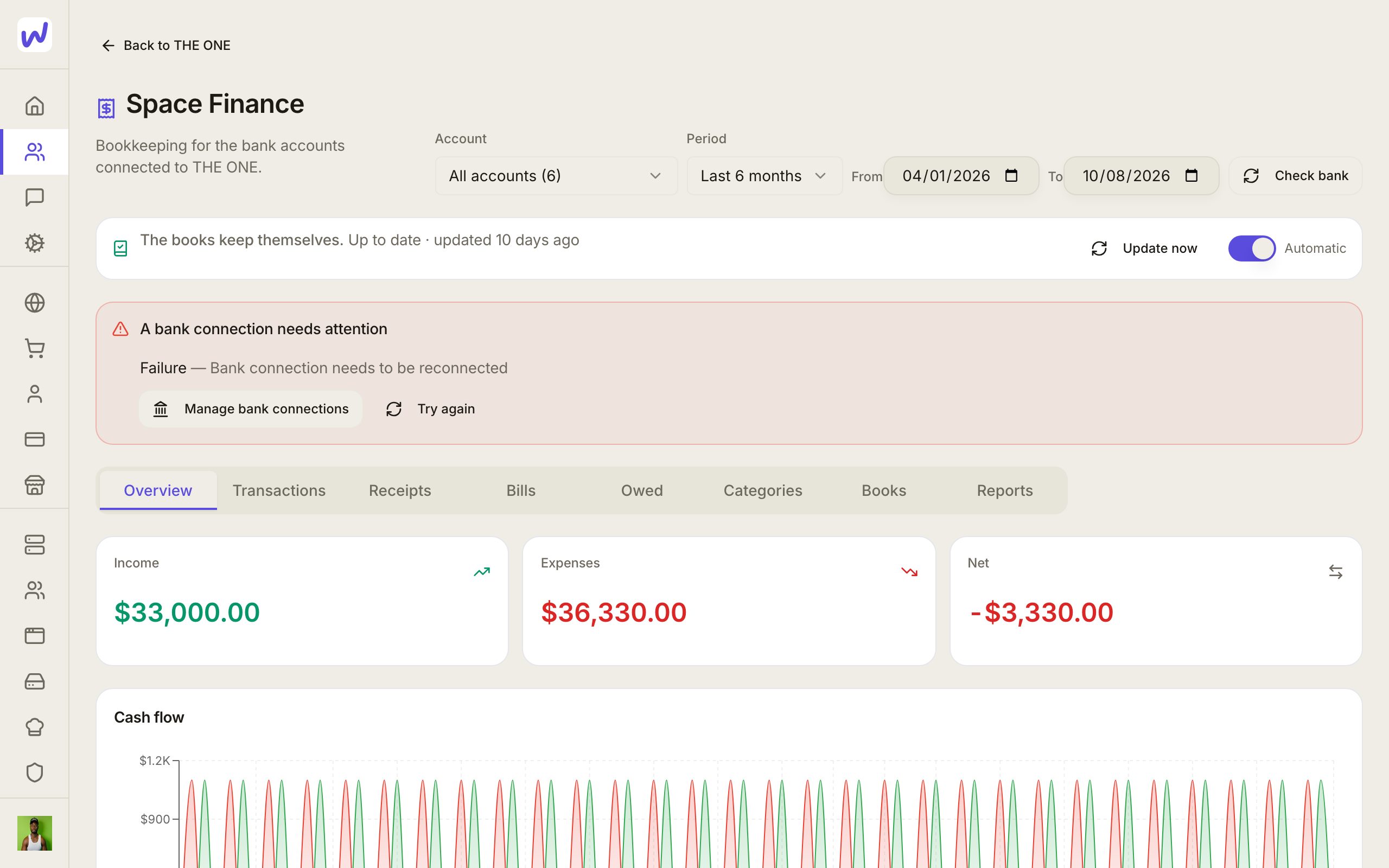
The books keep themselves. Once a bank is connected, new transactions are sorted and posted within a few minutes. Sorting uses your rules first, then what Wakato has learned about each merchant, then AI. When the AI is unsure, the transaction is still posted but marked To check. When you fix a category, Wakato learns it, and the same merchant's other unsure transactions move with it. The Automatic switch at the top of the page turns this on or off; while it is off, nothing is sorted or posted until you turn it back on.
The page works before you connect a bank too.
Receipts. In Receipts, press Add receipts or drop photos and PDFs. Each one is read and attached to its bank transaction when there is one clear match; Wakato never guesses between two. Press Forward receipts by email instead to get the space's own receipts address, so you can forward receipt emails straight from your inbox. Anyone with that address can add receipts, so share it only with people who handle your expenses.
Bills you owe. In Bills, press Add a bill to add what you owe and when it is due. When the payment shows up in the bank, the bill is matched and marked paid; you can also Mark paid by hand. Owners and admins are reminded when a bill is due soon and when it is overdue.
Cash or accrual. By default the books count income and expenses when money moves (cash). Switch to accrual in Categories → How the books count to count an invoice as income when it is sent and a bill as an expense when it is issued. The Owed tab shows what customers owe you, sorted by how late it is, and what you owe. Switching re-counts the open months; a closed month never changes.
Wakato Commerce in the books. Every sale from the shop run from this space is posted when it happens: the sale, Wakato's fee, and the rest held in Wakato Commerce balance. Refunds and lost disputes get their own entries. When a payout reaches your bank, it is matched to its deposit and recorded as a transfer, not as new income. Test orders are never posted.
Month end. Books → Month end shows a checklist of what is still open: transactions to check, receipts not attached, payouts not matched. Add your bank statement's closing balance under Statements to check the books against the bank. The first statement for an account sets the balance the books start from. When the month is right, close it. Reopening a month needs a reason and is recorded.
Shaping the books. You can split one transaction across categories, write rules that sort future transactions, tag lines with classes (for example a location or a product line) and report on one class, edit the chart of accounts, and set up recurring journal entries. Taxed lines can be split into sales tax or VAT, and Books → Tax shows the totals. Foreign-currency transactions are converted to your home currency, keeping the original amount.
Accountant pack. In Reports, press Export and choose Accountant pack: trial balance, profit and loss, balance sheet and journal in one download. The link lasts 7 days.
Do it: connect your bank
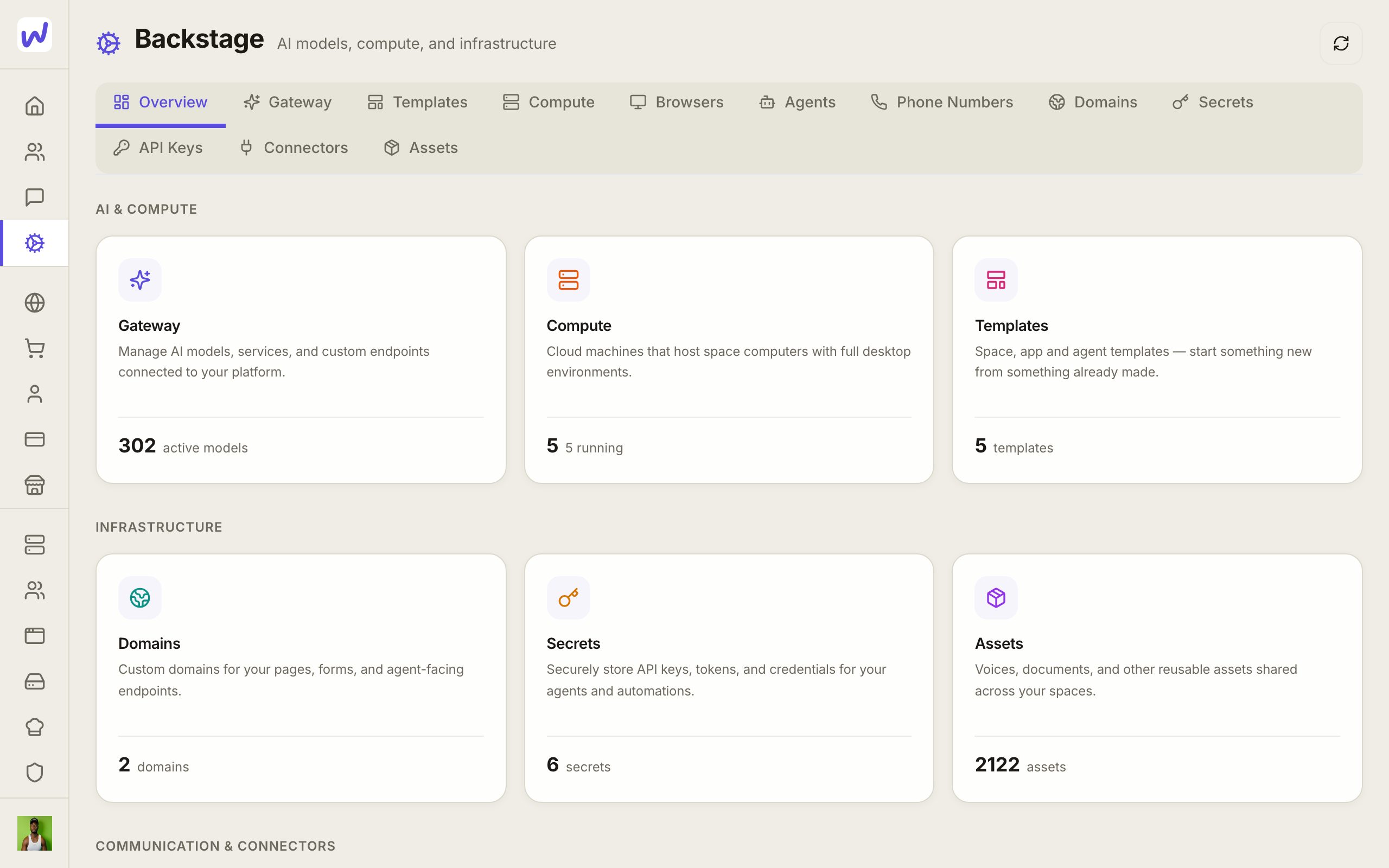
Open Connectors
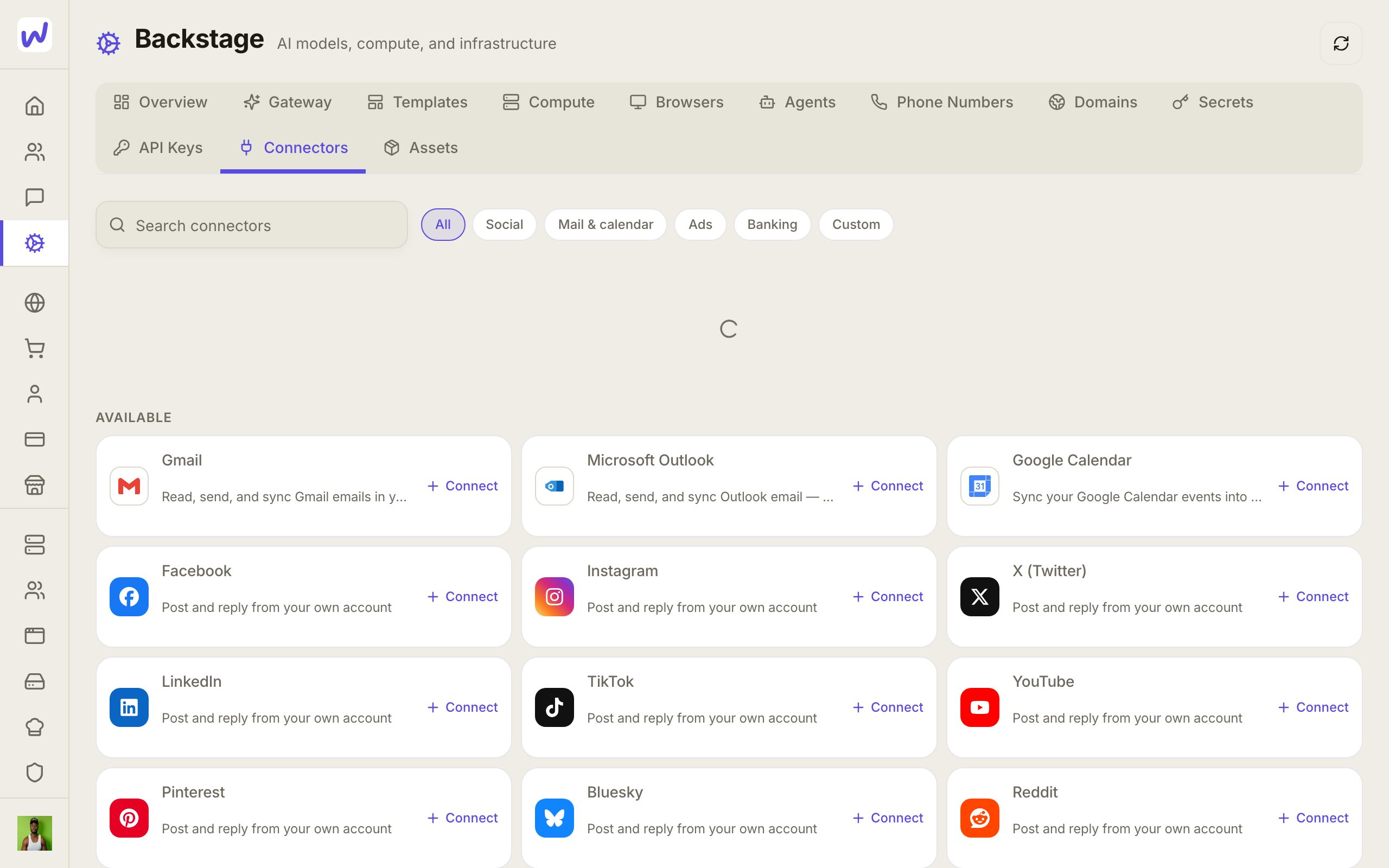
Choose Banking
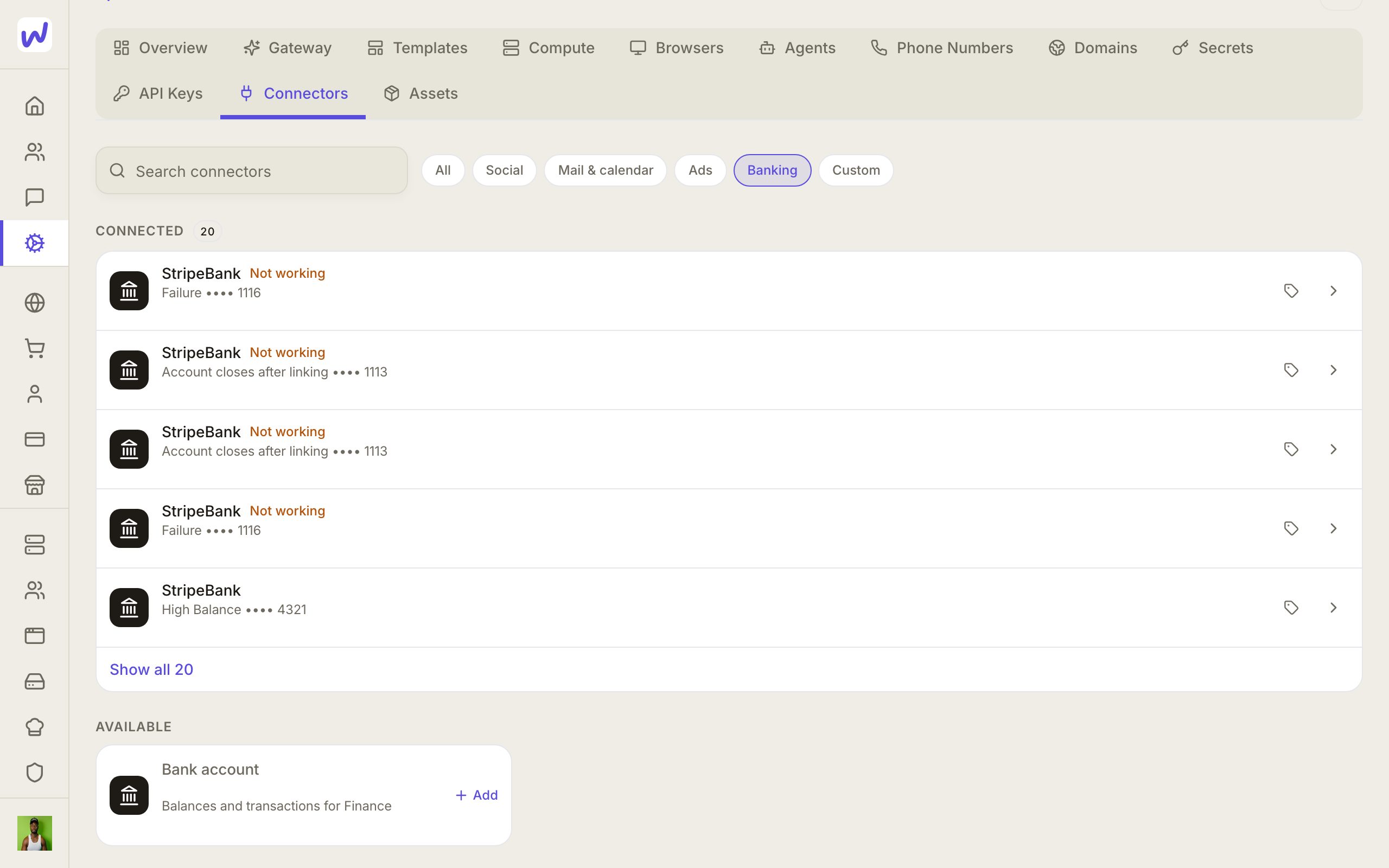
Sign in to your bank
Keep Automatic on
Your bank login stays with your bank
You sign in on your bank's own window, run by Stripe. Wakato reads balances and transactions. Neither Wakato nor your agents ever see your bank password.
What Space Finance does not do
Space Finance does not run payroll and does not file tax returns. It prepares the numbers; filing stays with you or your accountant.
Who can see it
People in the space see Space Finance through their Finance permission in the space. The list of connected bank accounts stays with the person who connected them.
What your agents can do here
Agents with Finance access can do the bookkeeping: update the books, sort and confirm transactions, add and attach receipts, add and mark bills, split transactions, write rules, manage classes and accounts, and read every report. Two things always ask you first in the agent's chat: closing a month and reopening one. An agent can propose a recurring entry, but only a person can set one to post by itself.
Questions
Related
Documents and files
Documents are pages you write together in a Wakato space, with comments pinned to words and sharing by email with anyone. Assets is the space's file library, organised in folders everyone in the space shares. Both are part of every space; files you upload count toward your plan's storage.
Wallet and plans
Wakato has three plans (Free, Pro at $49 a month and Business at $99 a month, or yearly for the price of ten months) plus a prepaid wallet that pays for usage such as AI, texts, emails and agent computers. You can give each space its own budget and set spending caps on spaces and agents.