Wakato Passone card in their wallet, your rules on it.
Wakato Pass gives your customers one card for loyalty points or stamps, memberships, gift value, entries and perks. It lives in Apple Wallet or Google Wallet, carries your own design, and your staff scan it at the counter or the door.
Wakato Pass is a card your customers keep in their phone's wallet. One card can collect stamps or points, hold a membership, carry gift value, admit people to events or classes, and show perks like a member discount. You decide what it unlocks, how people get it and what your staff see when they scan it. Customers do not need a Wakato account.
How it works
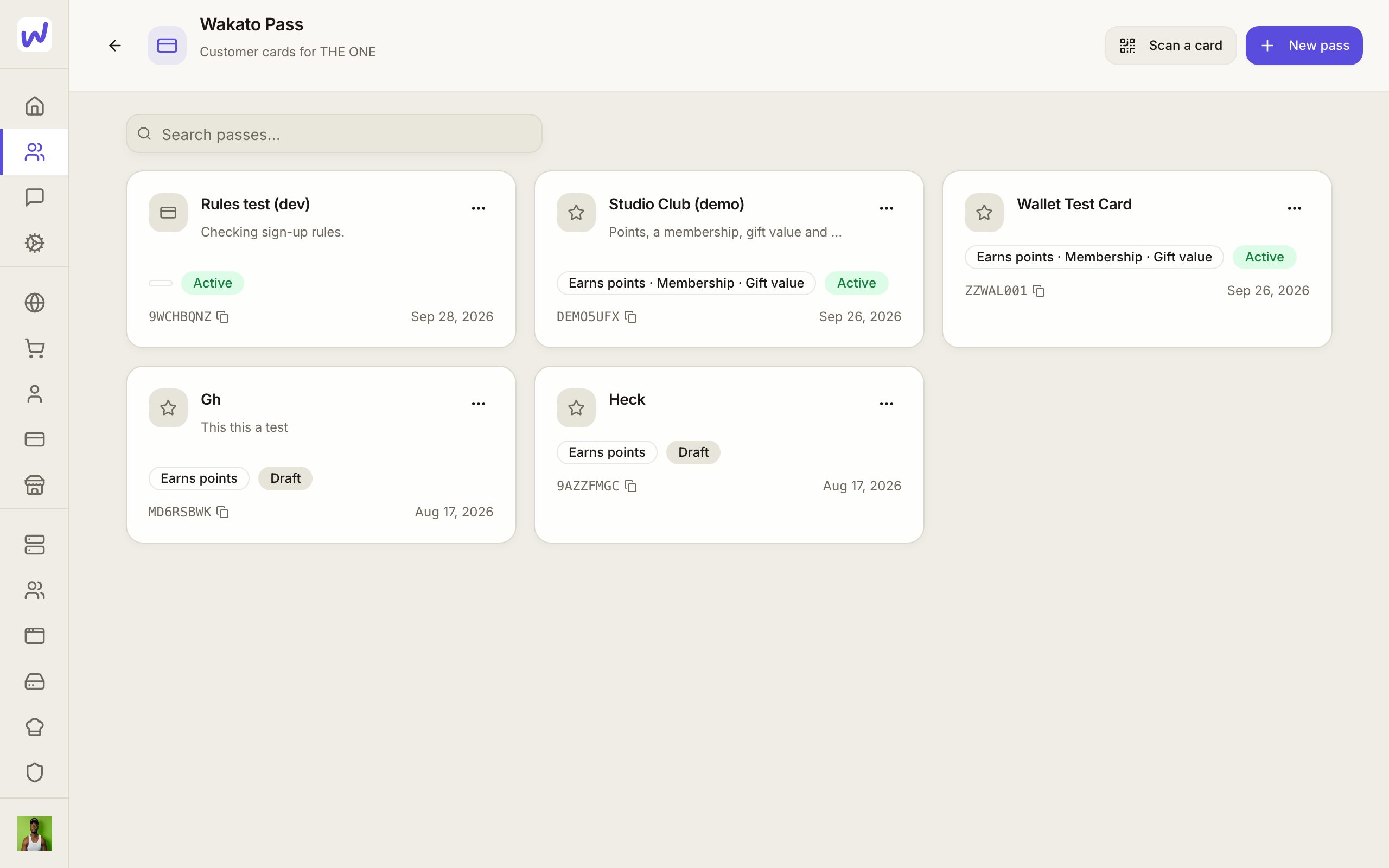
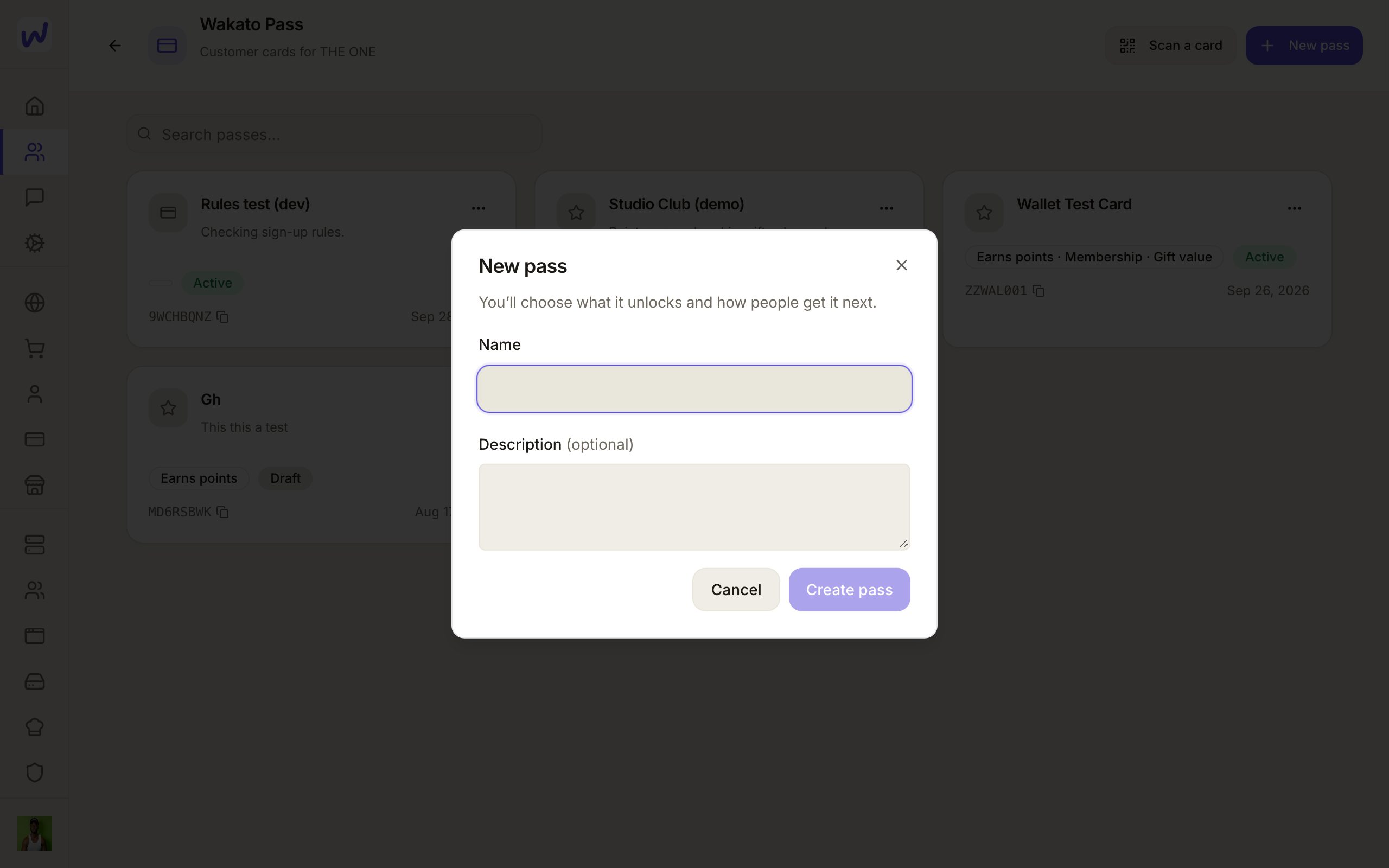
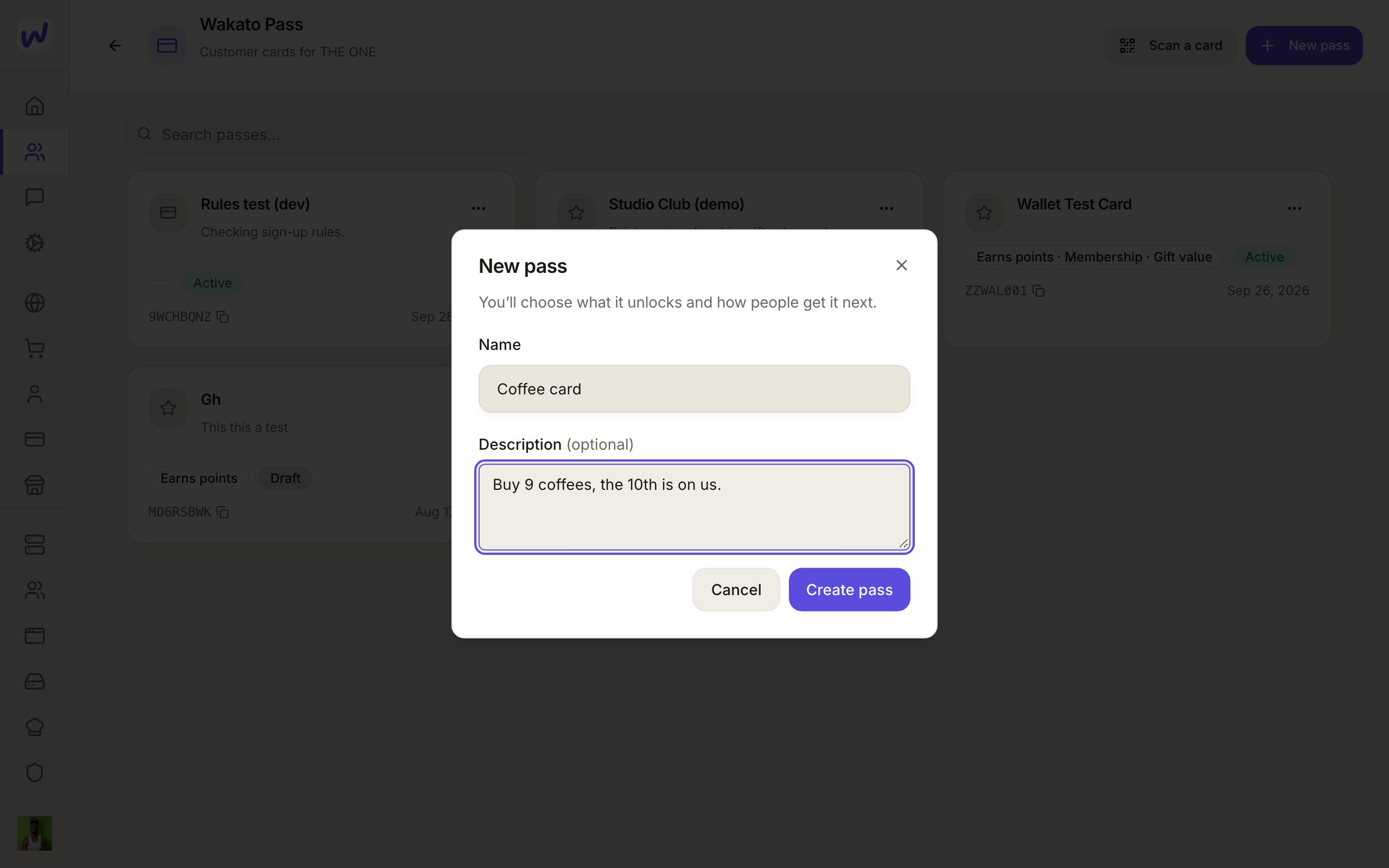
Open Wakato Pass in your space and press New pass. A new pass needs only a name and a description. Then it opens on three tabs: Setup, Holders and Automations.
Setup
Setup has four sections, with a live preview of the card beside them.
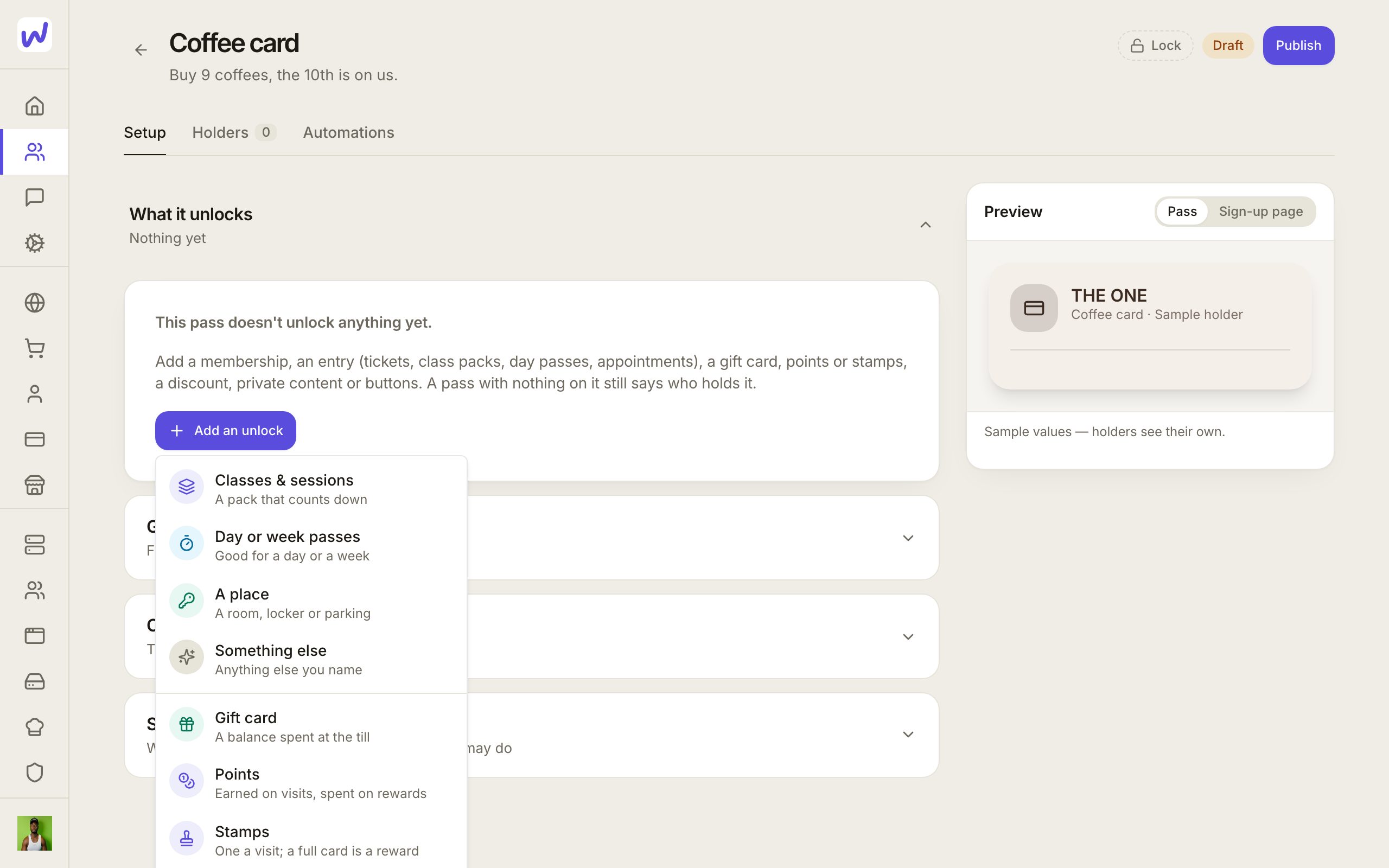
What it unlocks. Press Add an unlock for each thing the card gives:
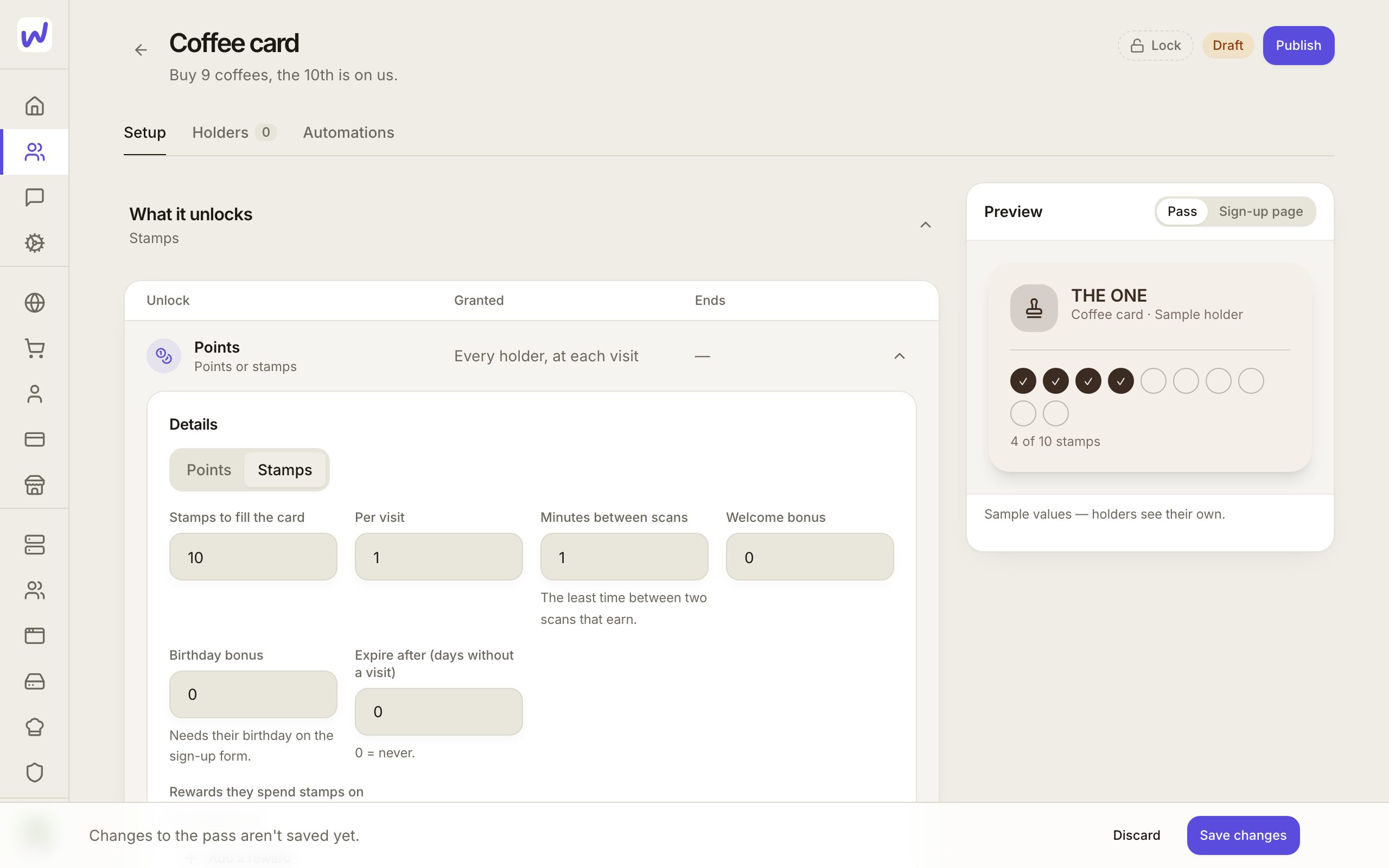
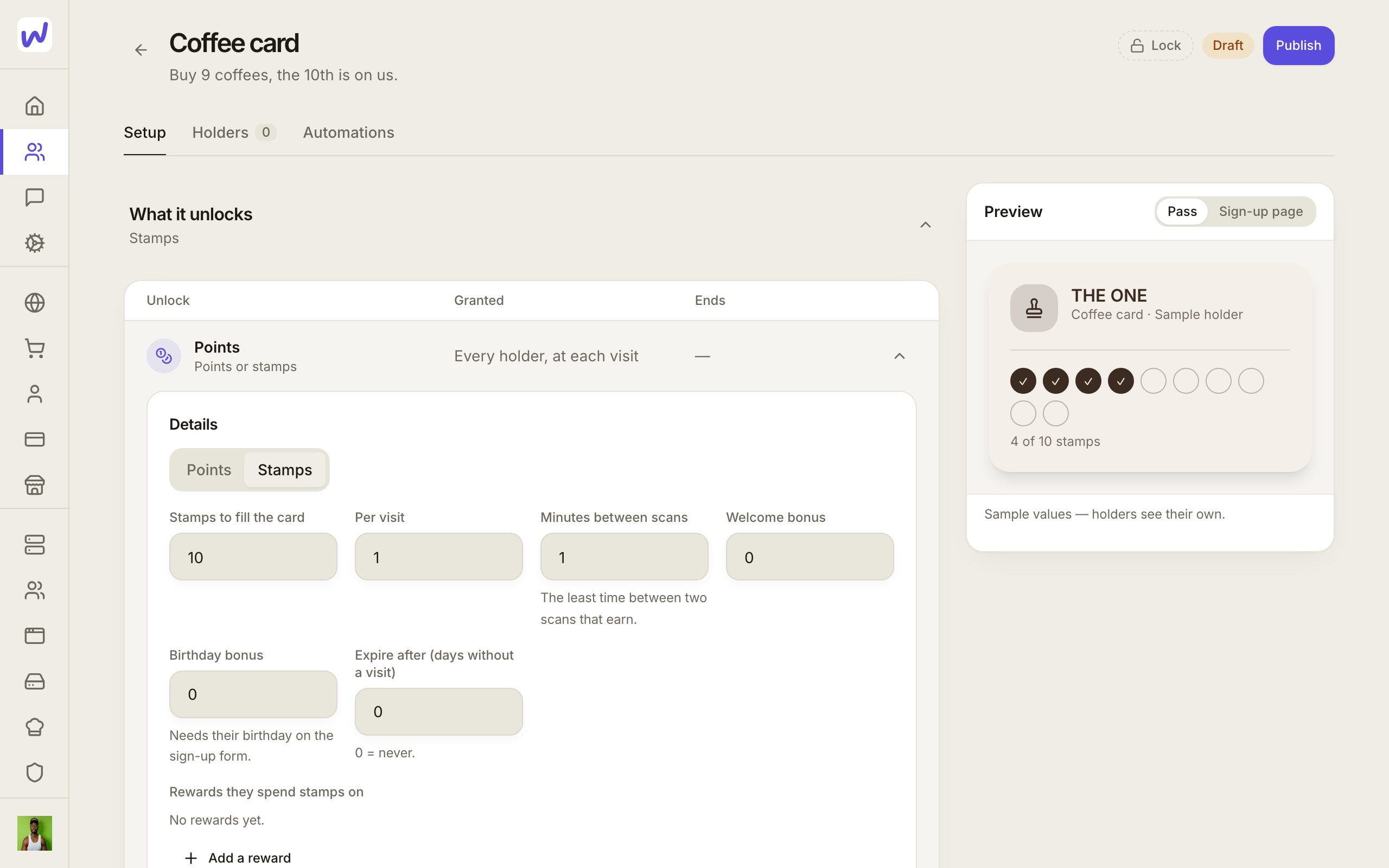
- Points or stamps (one of the two), with rewards to earn, a birthday bonus if you want one, and points that can expire after a period with no visit.
- Membership, with one or more tiers and how long each lasts.
- Gift value: money on the card, spent at the counter by amount. It is kept apart from points.
- Entries: appointments, events, classes and sessions, day or week passes, or entry to a place.
- Perks every holder has, like a discount your staff apply or private content only holders can see.
- Buttons on the card: a link, a booking page, a listing, a phone number, WhatsApp or email.
Each unlock says How it's granted: when they get the pass, When they buy it (Wakato makes the listing and the automations for you, including monthly or yearly memberships), when something happens, or by staff.
Getting the pass. Choose the ways people get it: Free sign-up by link or QR code, Buying something on it, Your invite, or an automation. You choose the sign-up form's questions, a photo or a birthday included, and rules such as Approve each holder, Minimum age and Maximum holders. Under How they keep it, Just the pass needs only a name and an email or phone number, while With a Wakato account links the card to their account. A card someone keeps without an account attaches to their account by itself if they join Wakato later.
Card design. Start from a design, then make it yours: colours, your name or logo, a banner with photos, shapes, stamps and text, the scan code, and the lines on the front. Press Send to my phone to get a sample card in your own wallet before you publish. Your sign-up page and the card's page wear the same design. You can also name up to ten of your places so Apple Wallet shows the card on the lock screen nearby.
Scanning. Set up the places where staff scan, each with a purpose: Counter (points, rewards, gift value), Door (membership check), Entry (let in or stop) or Community event (check-in). For each place you choose what staff see, what stops a visit, what staff and managers may do, and your own buttons on the scanner. A button you add runs the automations you attach to it, like notifying a manager.
Wallet cards update themselves
Every card has its own page and can be added to Apple Wallet or Google Wallet. When a balance, a membership or your design changes, the card in the wallet updates without the customer doing anything.
Do it: make a Pass card
Start a new pass
Name it
Create it
Add an unlock
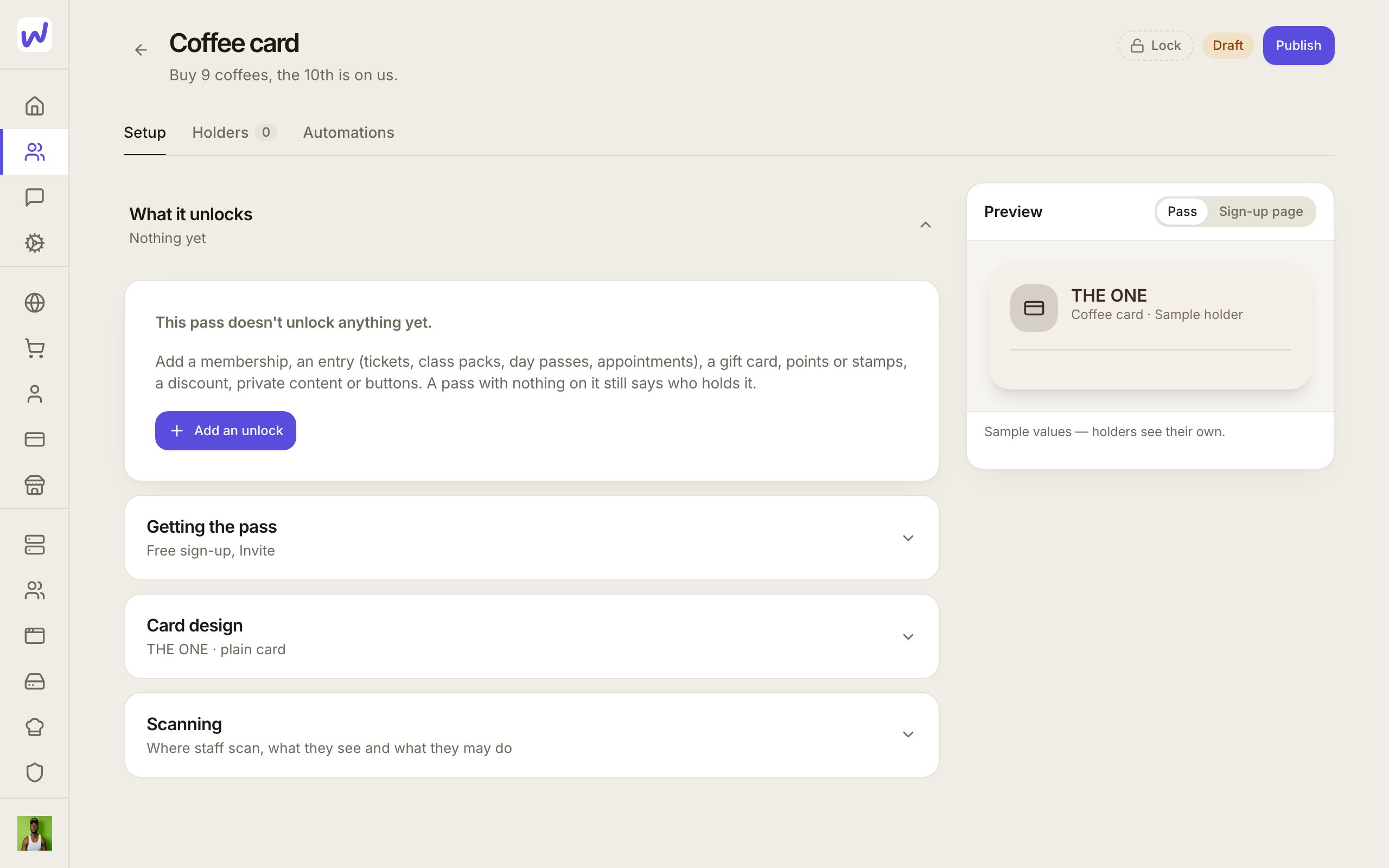
Choose what it gives
Set it up
Publish
Holders and automations
Holders lists everyone with the card, with their balance and membership. Signups waiting for your approval appear there to approve. Automations shows every automation that works with this pass, and opens the full automation editor in the page. Typical ones: give a card when someone joins your community, add points after an order, or send a message when a membership is about to end.
Gift cards are sold through your shop
Selling gift value uses an ordinary Commerce listing plus an automation that adds the value to the buyer's card. The pass sets both up for you under When they buy a gift card.
What your agents can do here
Agents can create and change passes, design the card, give cards and entries, change balances, approve holders and their photos, set up scanning places, sell an unlock and start the automation that grants it. An agent says which balance it changes, points or gift value, so the two never mix.
Questions
Related
Wakato Marketplace
The Wakato Marketplace is the shopping page at wakato.io/marketplace where buyers browse listings Wakato has reviewed. Any live listing can be submitted for review, and approved listings can also be found and bought through AI shopping assistants like ChatGPT.
Ads
Ads Manager runs your paid ads on Meta, Google, TikTok, LinkedIn, Pinterest, X and ChatGPT Ads from one place in your space. The ad platform charges your ad account for the ads, not Wakato.