Agentsteammates that do the work.
An agent is an AI teammate that belongs to one of your spaces, has its own name, face and chat, and does real work with the space's tools. Its thinking is paid from that space's wallet; agents on Wakato's cloud need the Pro or Business plan.
An agent is a teammate made of software. It has a name, a face and its own chat in Messages, and it belongs to one of your spaces. You tell it what you need in plain words and it does the work with the same tools you use: it fills tables, writes pages, drafts posts, answers customers, sets up automations and more, only as far as you allow.
Agents are for business owners and teams who want work done, not just answers. An agent's thinking and paid tools are charged to the wallet of the space it belongs to. Agents that run on Wakato's cloud need Pro (up to 3) or Business (no limit).
How it works
It belongs to a space
It has one chat
It has limits you set
Its home, and other spaces
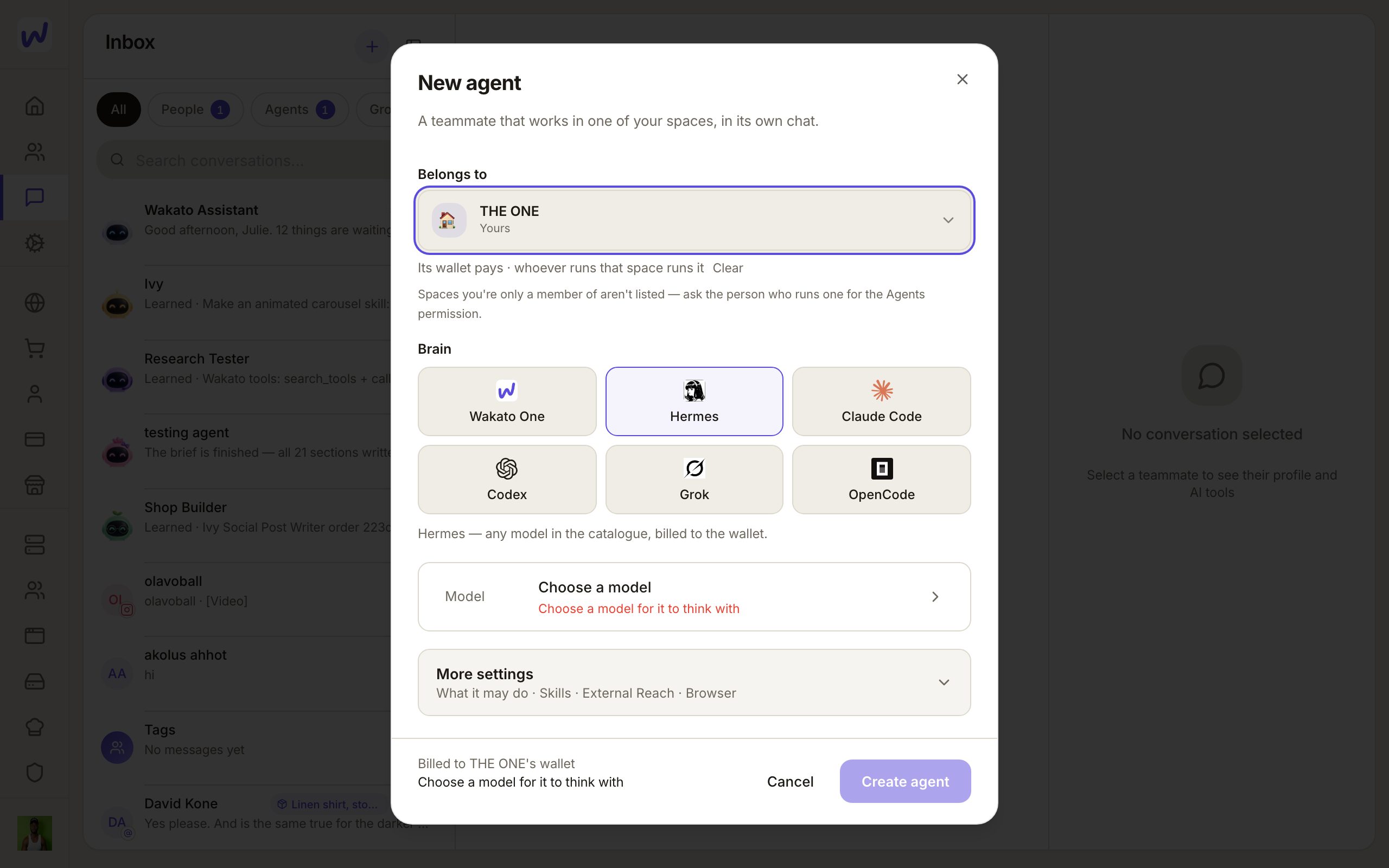
Belongs to is the space the agent works for. That space's wallet pays, and its owner and admins run the agent. Also works in lets it work in other spaces too. Between spaces you own, nobody is asked. If you give it a space someone else runs, that person must say yes first.
If a space's owner has chosen to approve new agents, an agent made by someone else exists right away with its chat, but it does nothing and costs nothing until the owner lets it wake up.
Its chat
An agent has one chat. While it works, the chat shows what it is doing step by step, with a clock, and the send button turns into Stop. When you add a person to its chat, it is still the agent's chat: the same face, the same page.
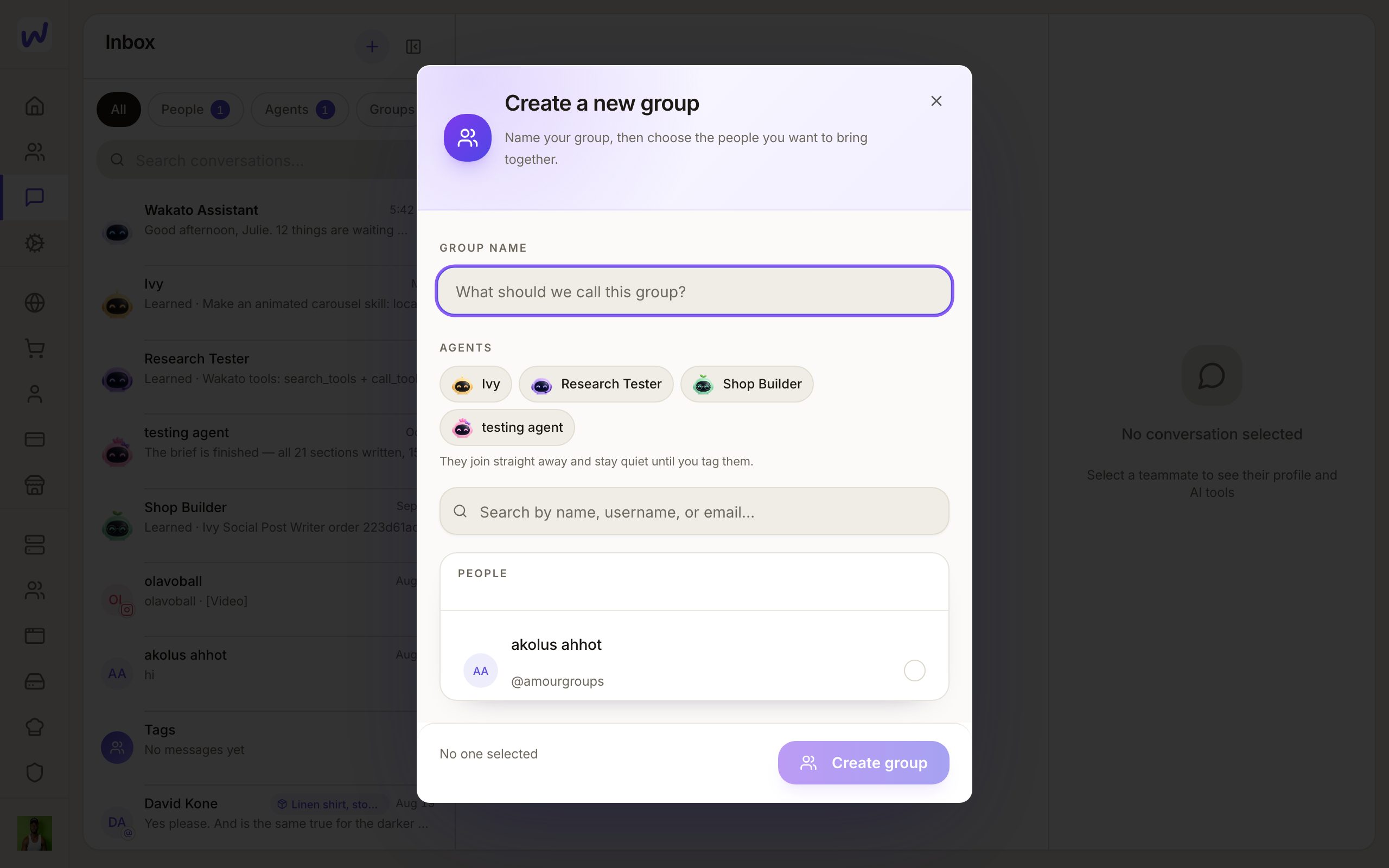
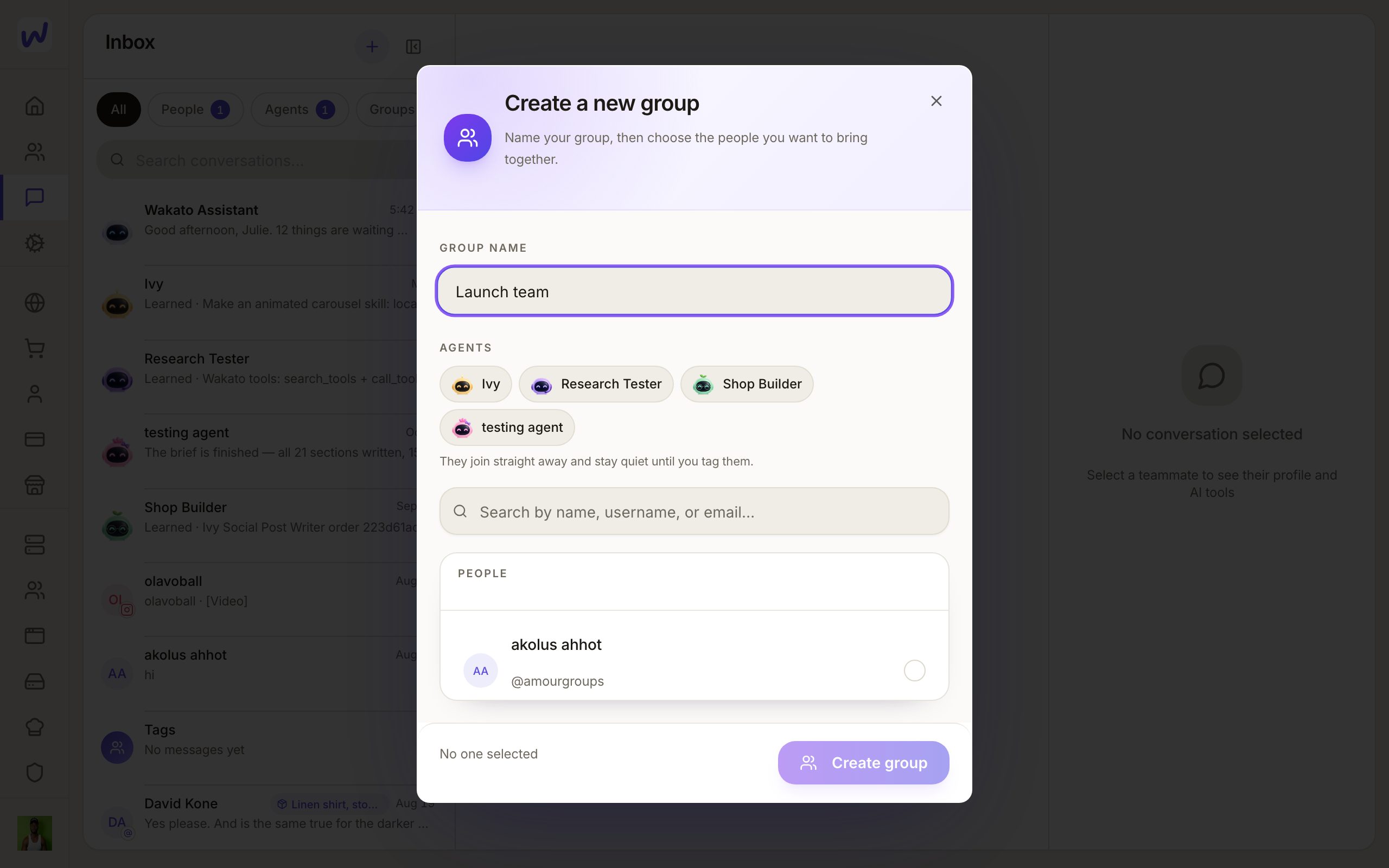
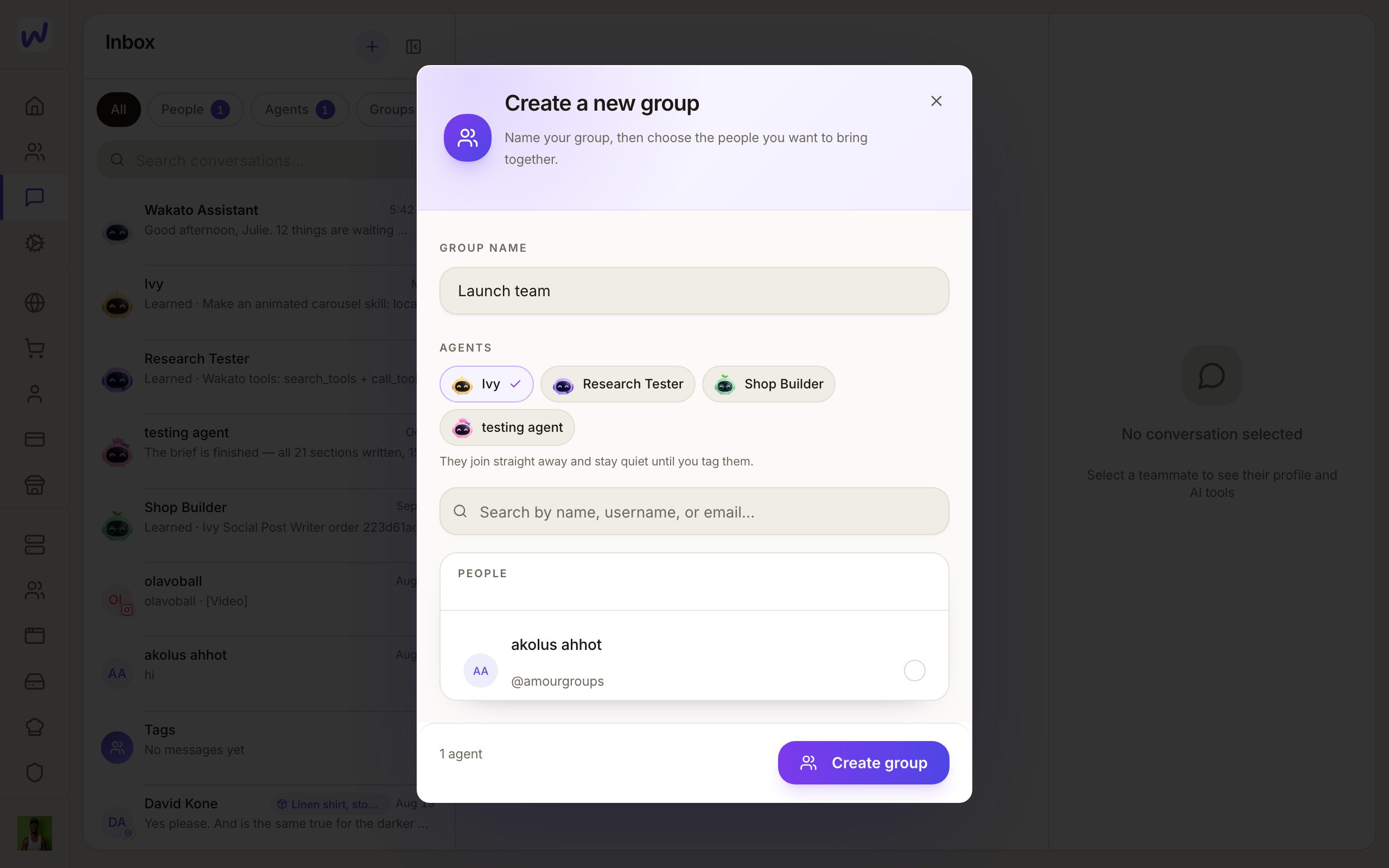
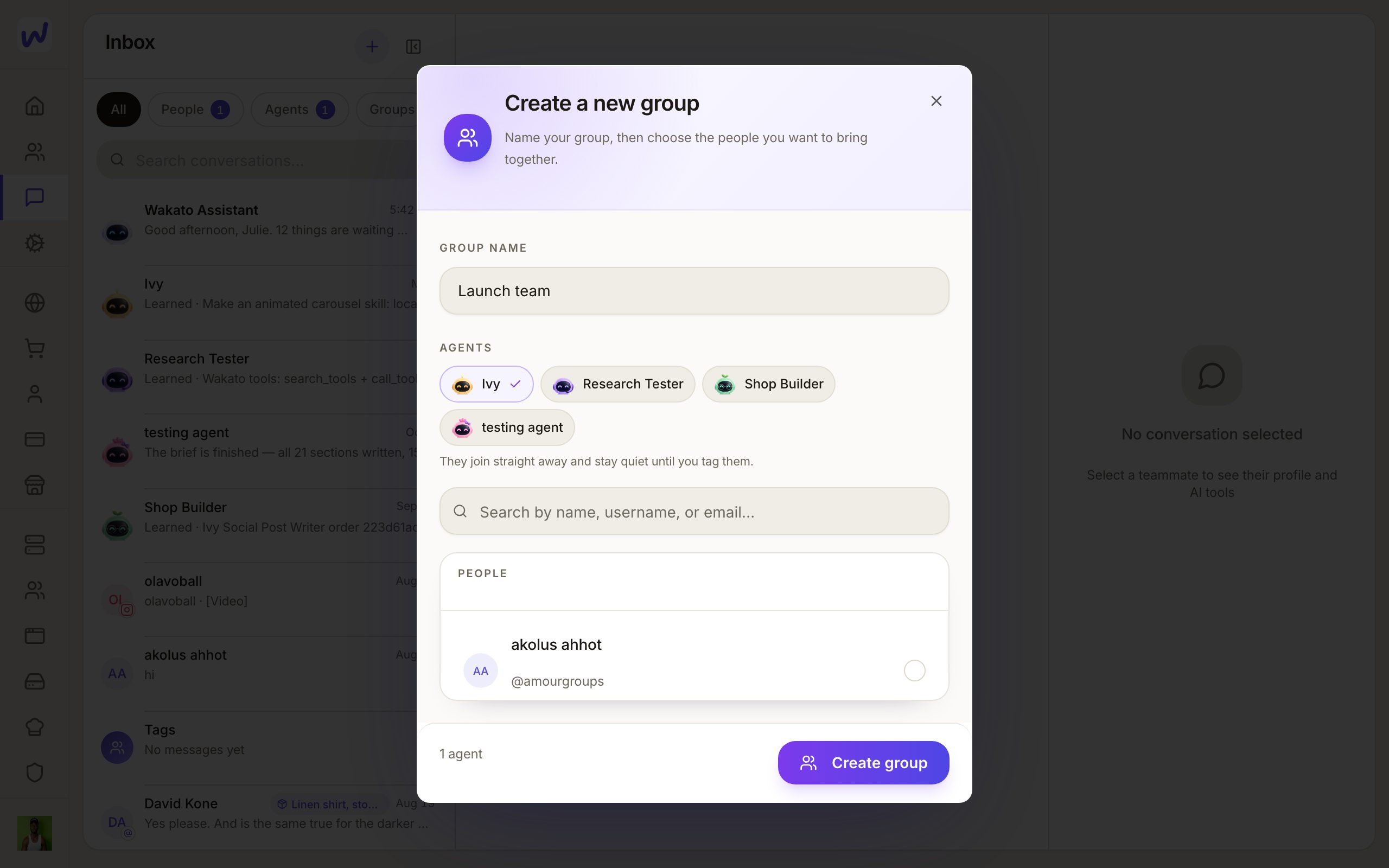
You can also bring an agent into a group chat you made with other people. There it answers only when someone tags it, and the person who runs the agent decides who may tag it there.
Its brain
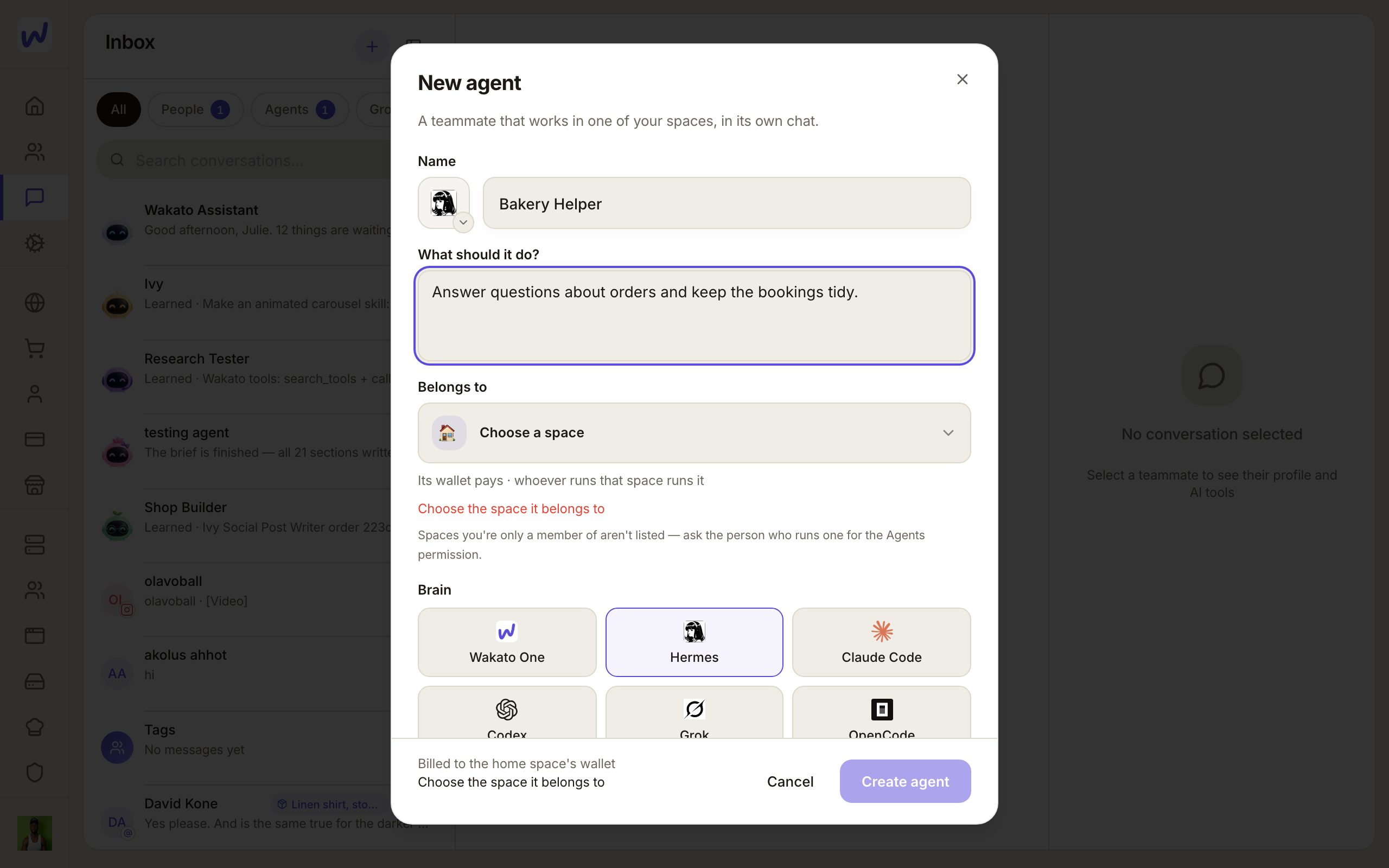
Under Brain you pick the engine it runs on, and under Model the AI model it thinks with:
| Engine | Good to know |
|---|---|
| Hermes | The default. Thinks through Wakato, paid from the space wallet. |
| Wakato One | Wakato's own engine. |
| Claude Code | Runs on your own Claude account. |
| Codex | Runs on your ChatGPT login. |
| Grok | Runs on your xAI login. |
| OpenCode | Runs on your OpenCode plan. |
You can switch engines later from the Brain row on its page. The agent keeps its name, chat, files, memory and permissions; only the engine changes.
Its look
Every agent wears a character, an animated figure that shows what it is doing: thinking, searching, typing, waiting. Tap the character on the agent's page to open Choose (name)'s look and pick another one. It changes with one tap, everywhere its face is shown.
Do it
Prefer to watch?“Make an agent”: watch it, or click through the steps yourself.Open Messages and press +
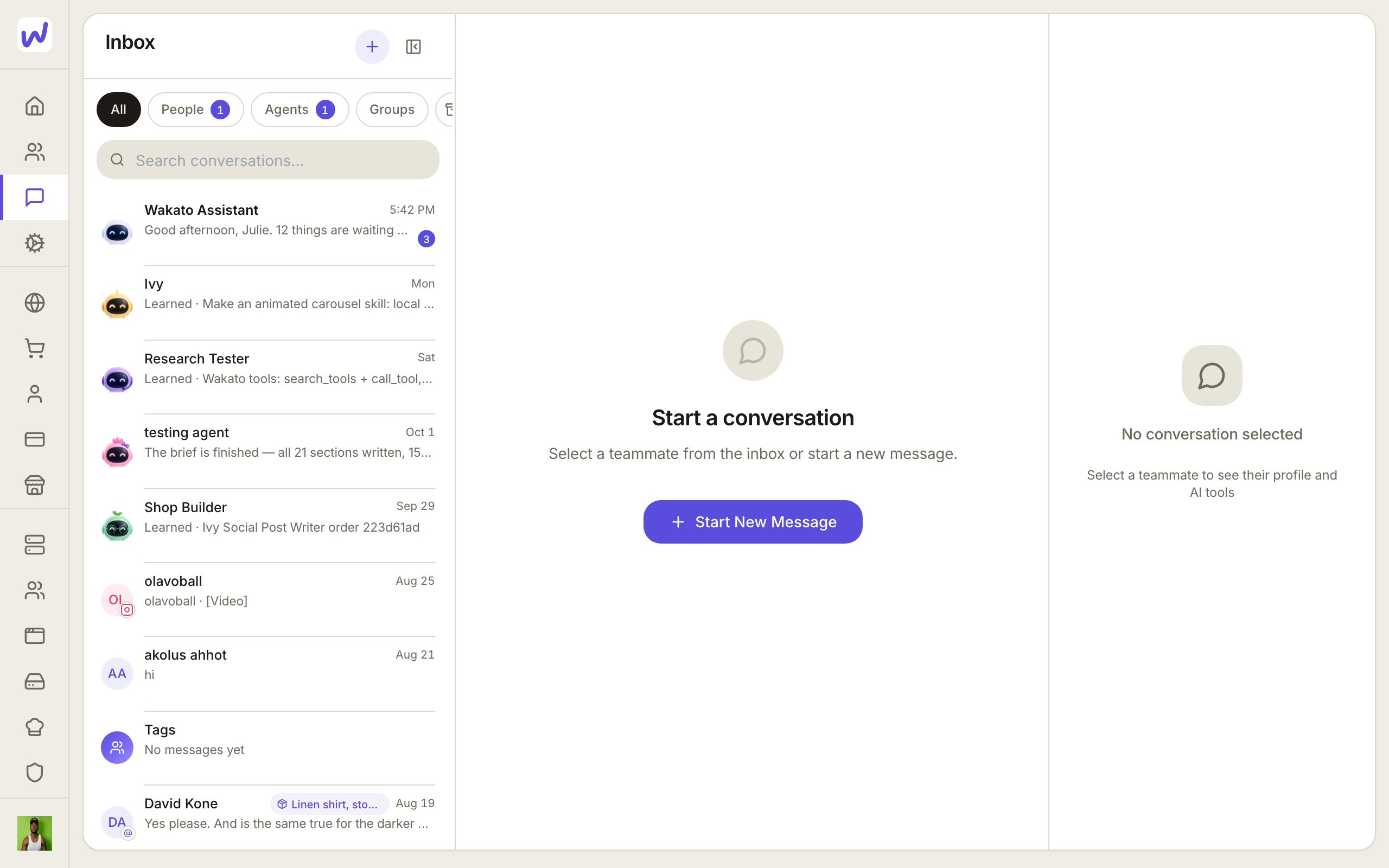
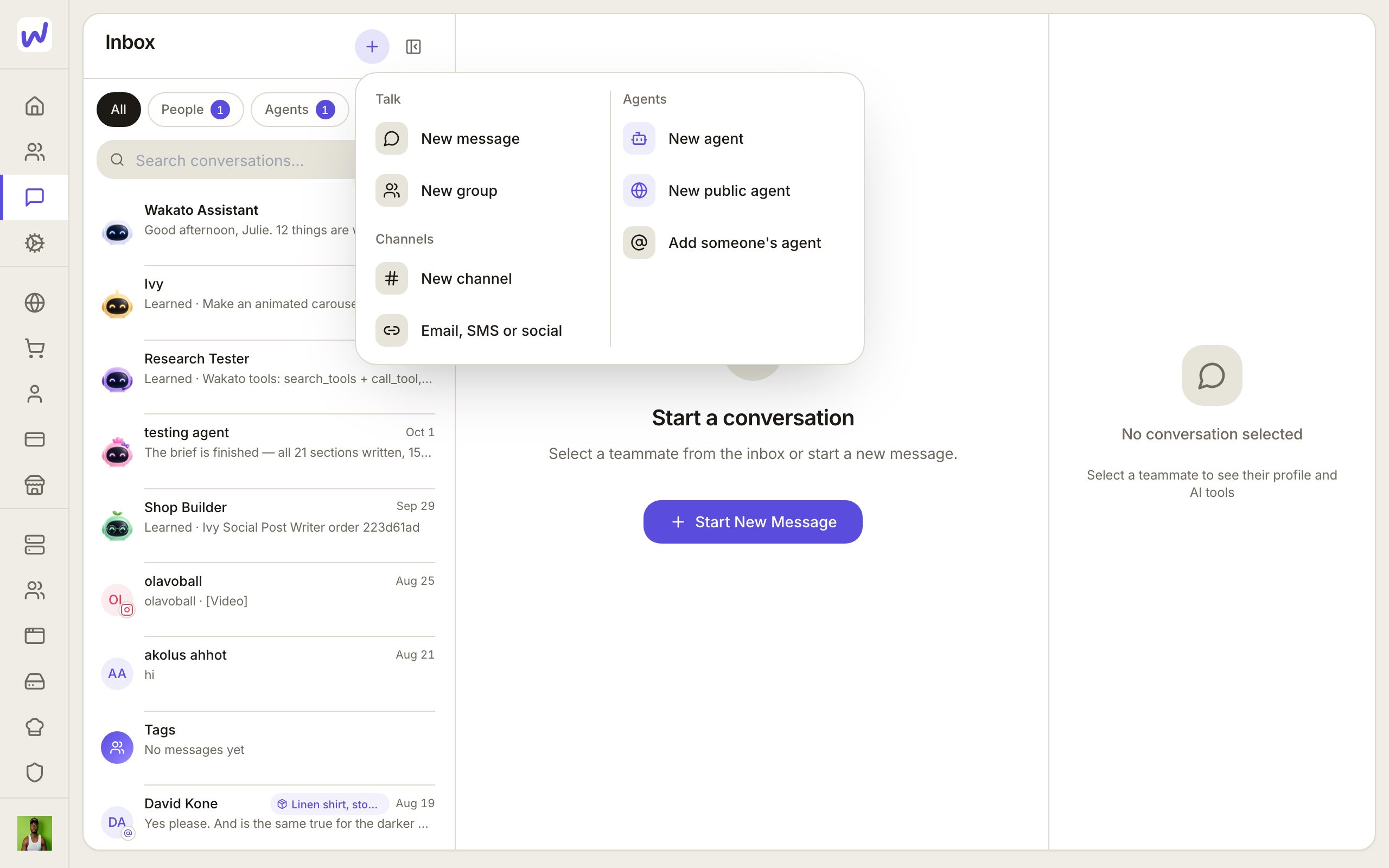
Choose New agent
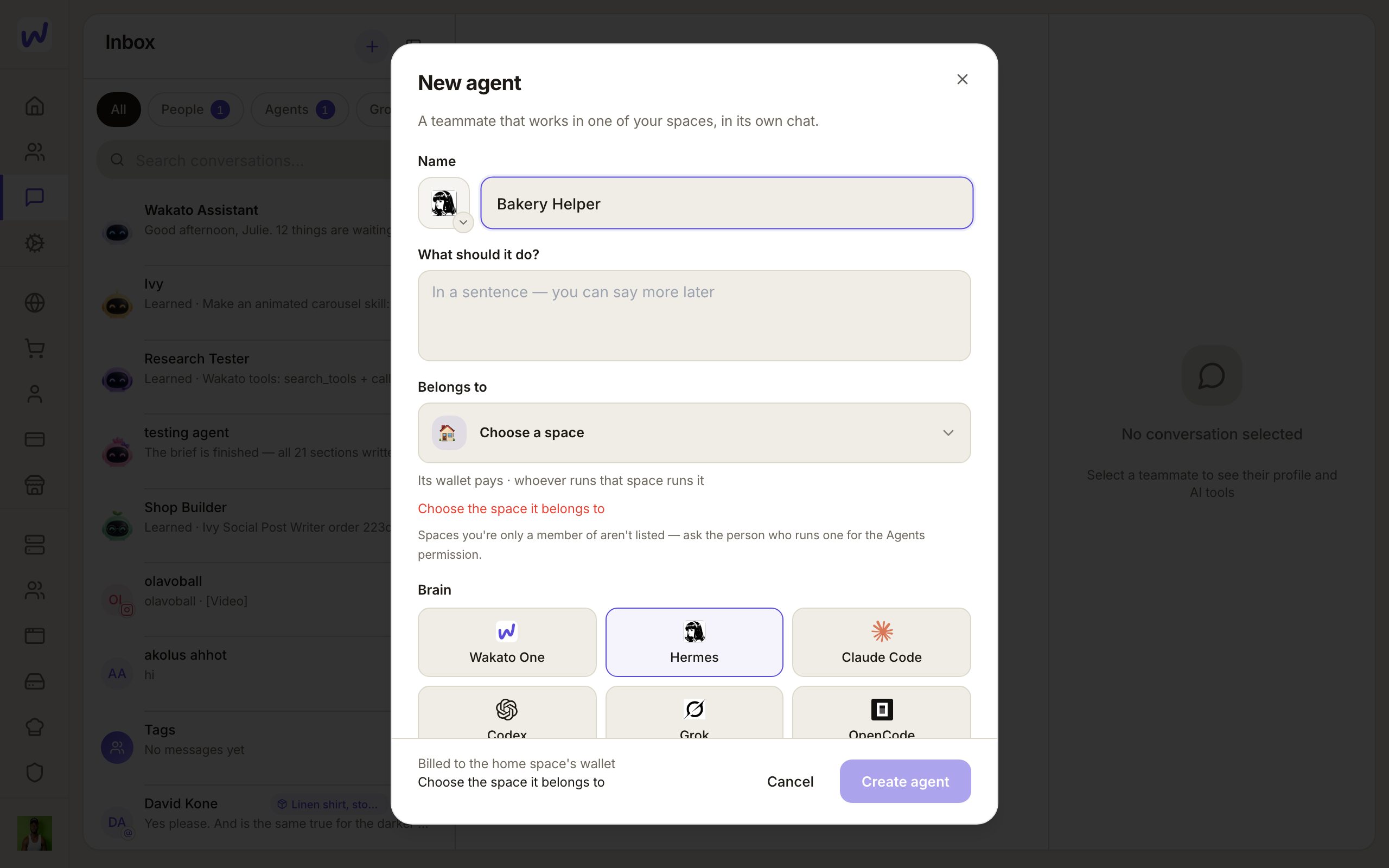
Name it
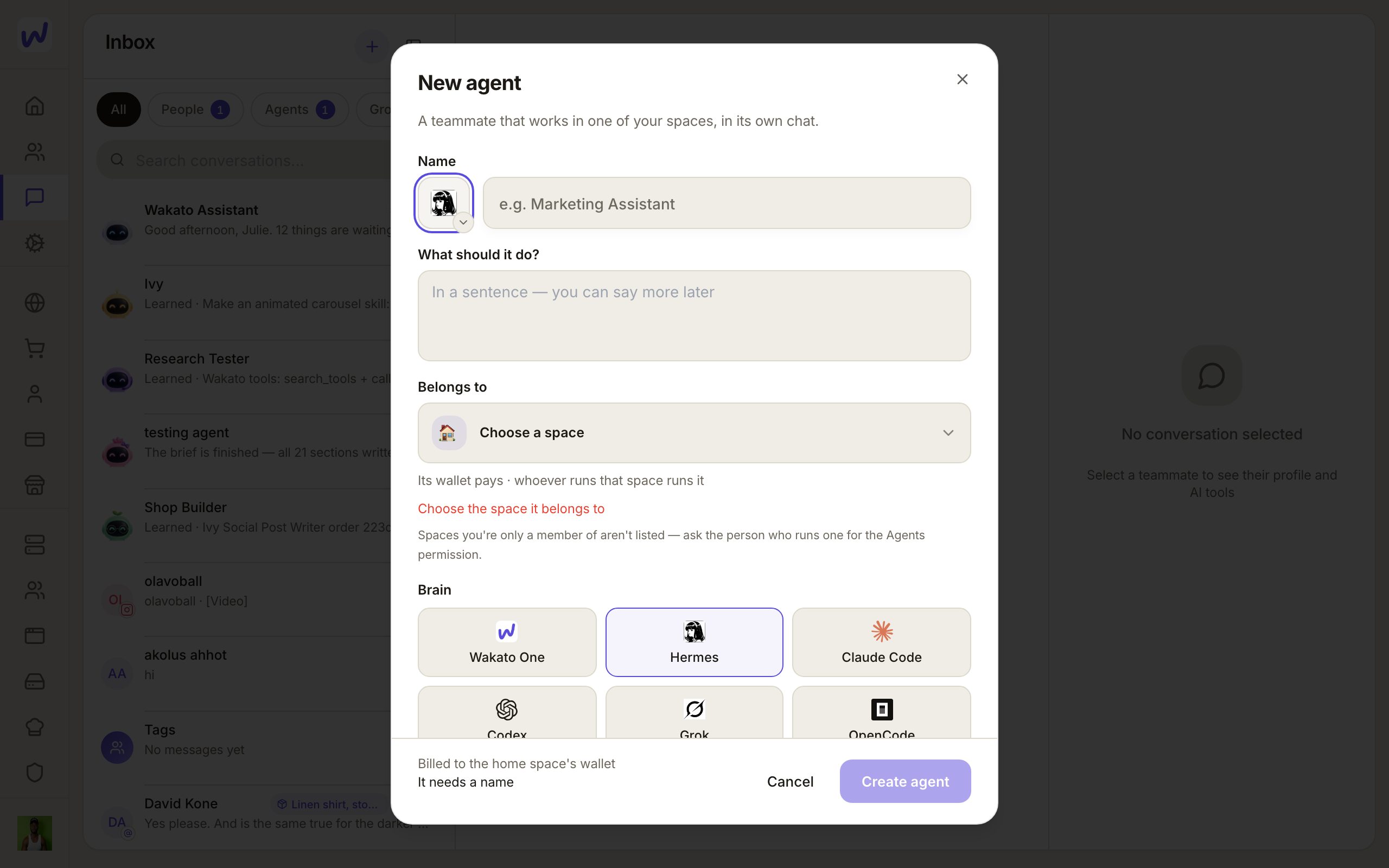
Say what it should do
Choose where it belongs
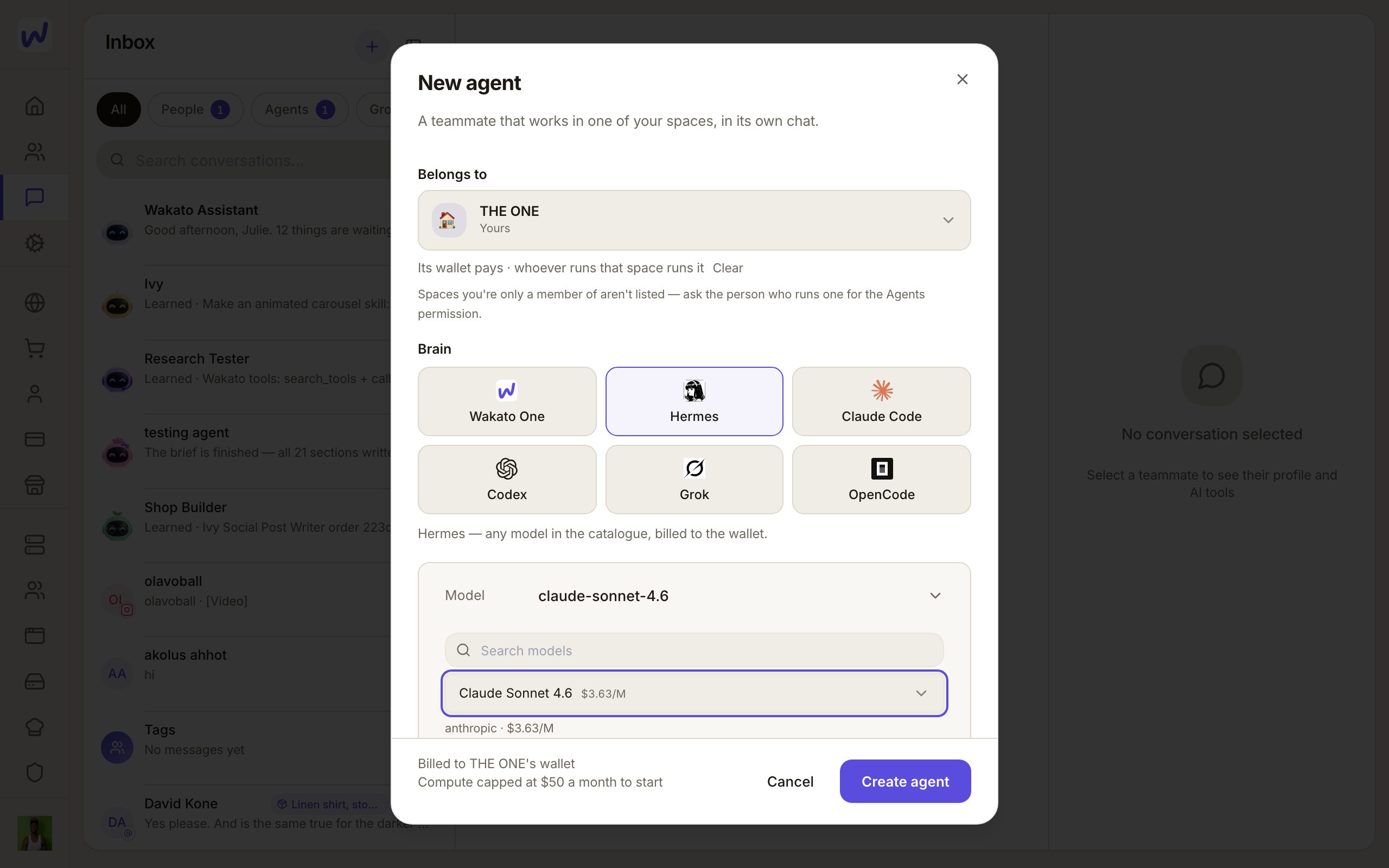
Pick its model
Create it
It costs money while it works
The bottom of the New agent window says which wallet pays. A new agent on Wakato's cloud starts with its computer time capped at $50 a month. See Costs and limits.
Bring it into a group
Prefer to watch?“Make a group chat with an agent in it”: watch it, or click through the steps yourself.Start a new group
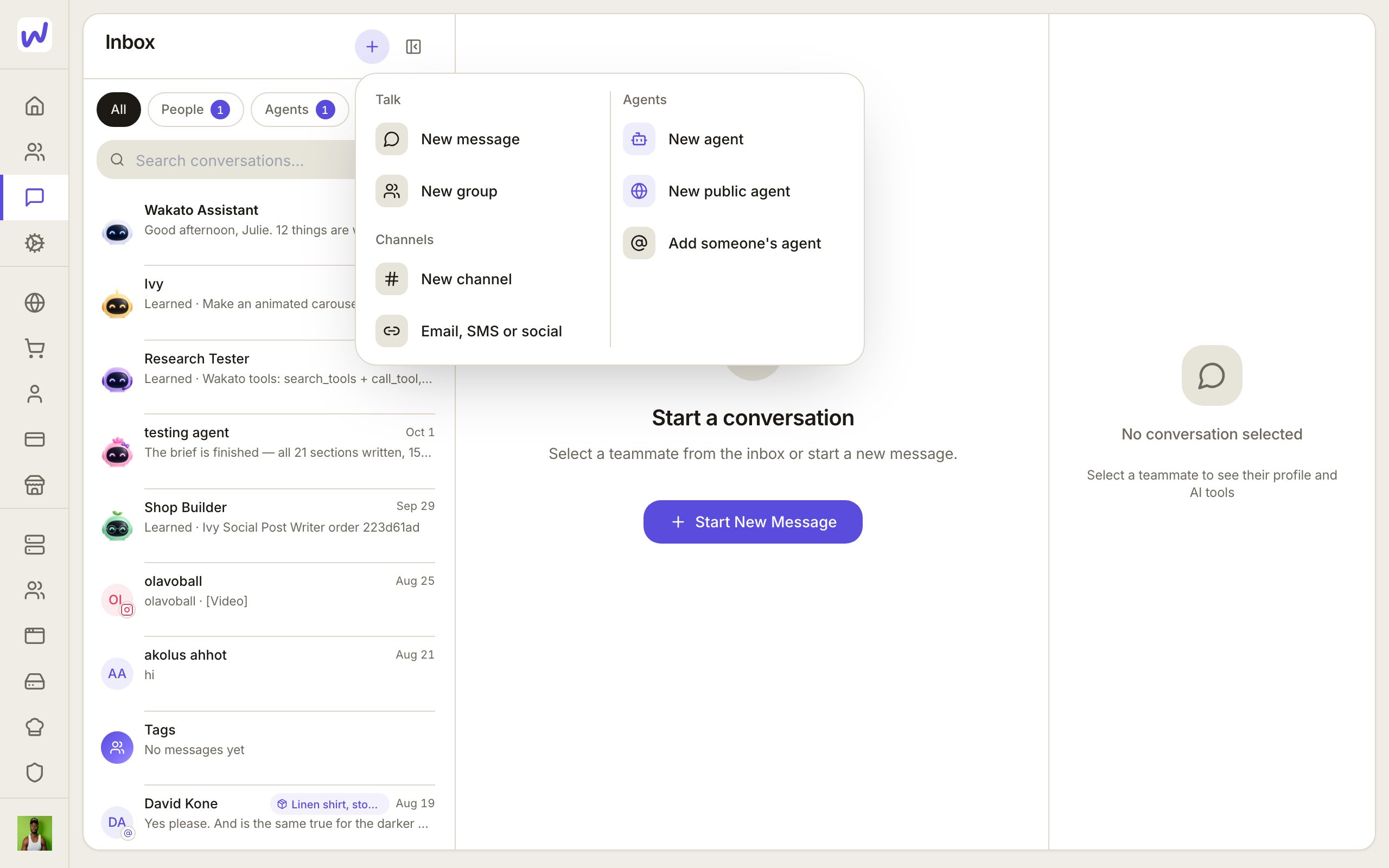
Name the group
Pick the agents
Add people
Create the group
Work agents and public agents
Most agents are work agents: they serve your team and never meet the public by themselves. A public agent is the one the world meets. It gets a space of its own, a username like @agent.nia, and its own Wakato profile that people can follow and message. It can have up to five private helper agents in its space. Make one from Backstage → Agents with New public agent.
Any agent, work or public, can also answer people outside Wakato by phone, website chat, text, email and social messages. That is its External Reach.
Questions
Related
Invite people
Invite your team to a space by email or Wakato username, give each person the User or Admin role, and choose None, Read or Write for each part of the space. Teams group people for table access. Inviting is free; Pro allows 5 members per space and Business has no limit.
What it may do
Every agent has limits you set on one screen, "What it may do": how far it may go in each area of the space, which things it may touch, and which actions must ask you first. When it needs more, it asks in its chat with a card.